

 Dashboard
1. Find pending RFIs
Open Compliance > RFIs: every customer with an open request, how many requests each one has, and the age of the oldest. The status column separates what you owe a response on from what is already back with MoonPay Enterprise.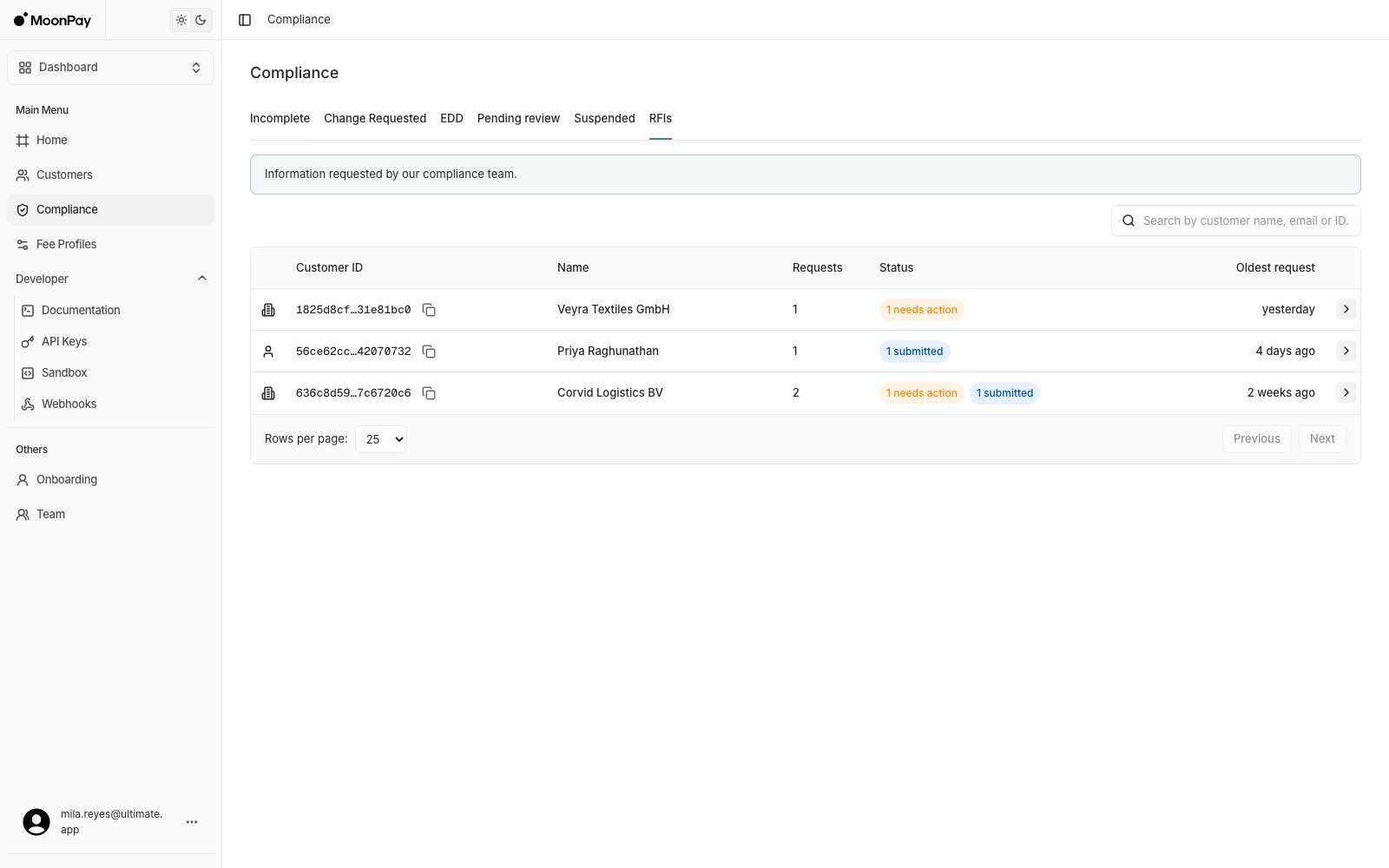
2. Read the request
Click the customer’s name. Questions · Round 1 lists what was asked, with a Needs action badge while a response is outstanding. Required questions carry an asterisk, and each answer box matches the question type: free text, or Yes/No with an optional details field.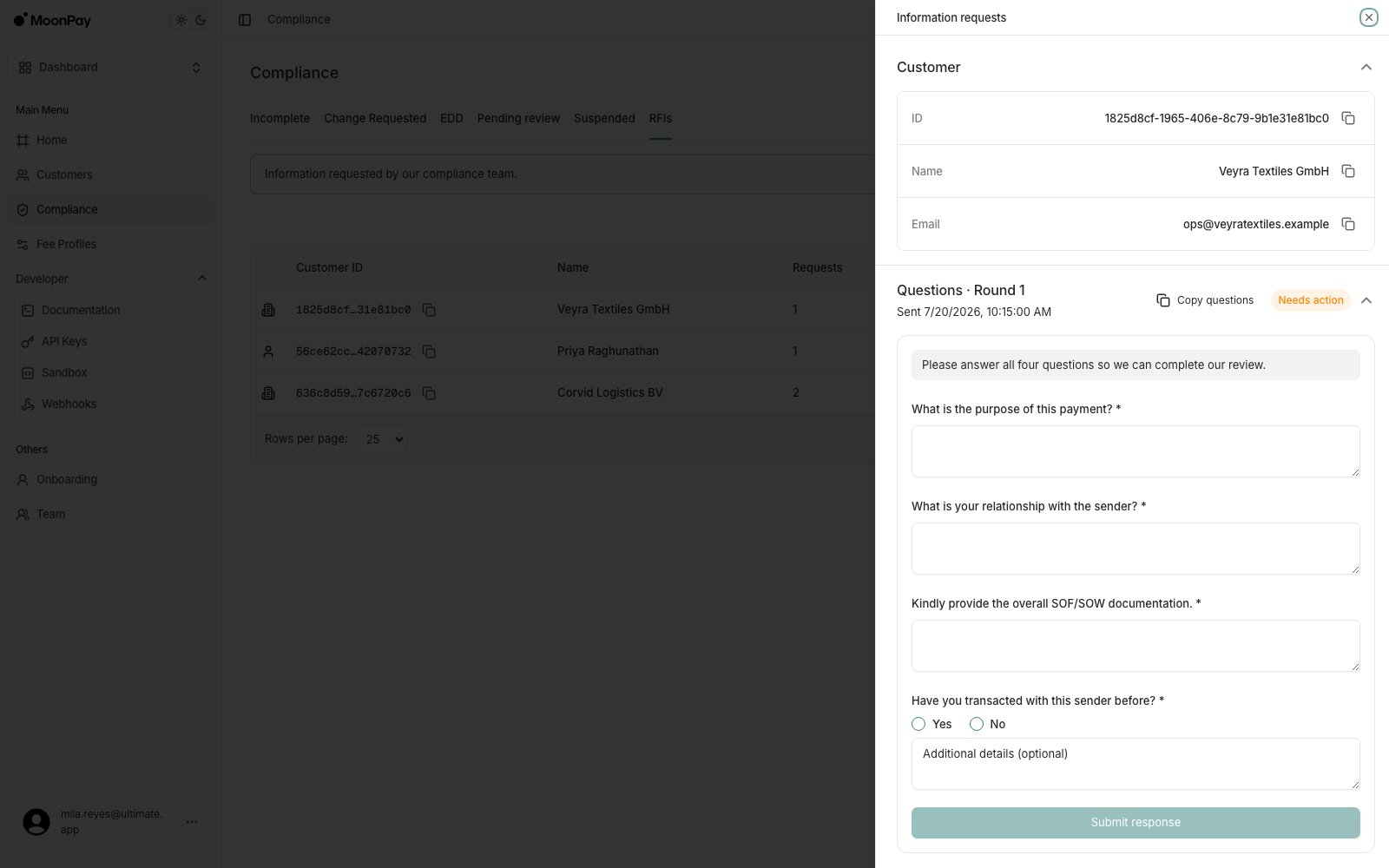
3. Choose who answers
- Your customer answers
- Your team answers
Click Copy customer link and send the link to your customer. It opens a hosted page where they read the questions, see the transactions the request is about, upload the requested documents and submit. Their answers land on the same RFI, which then shows Submitted in your dashboard.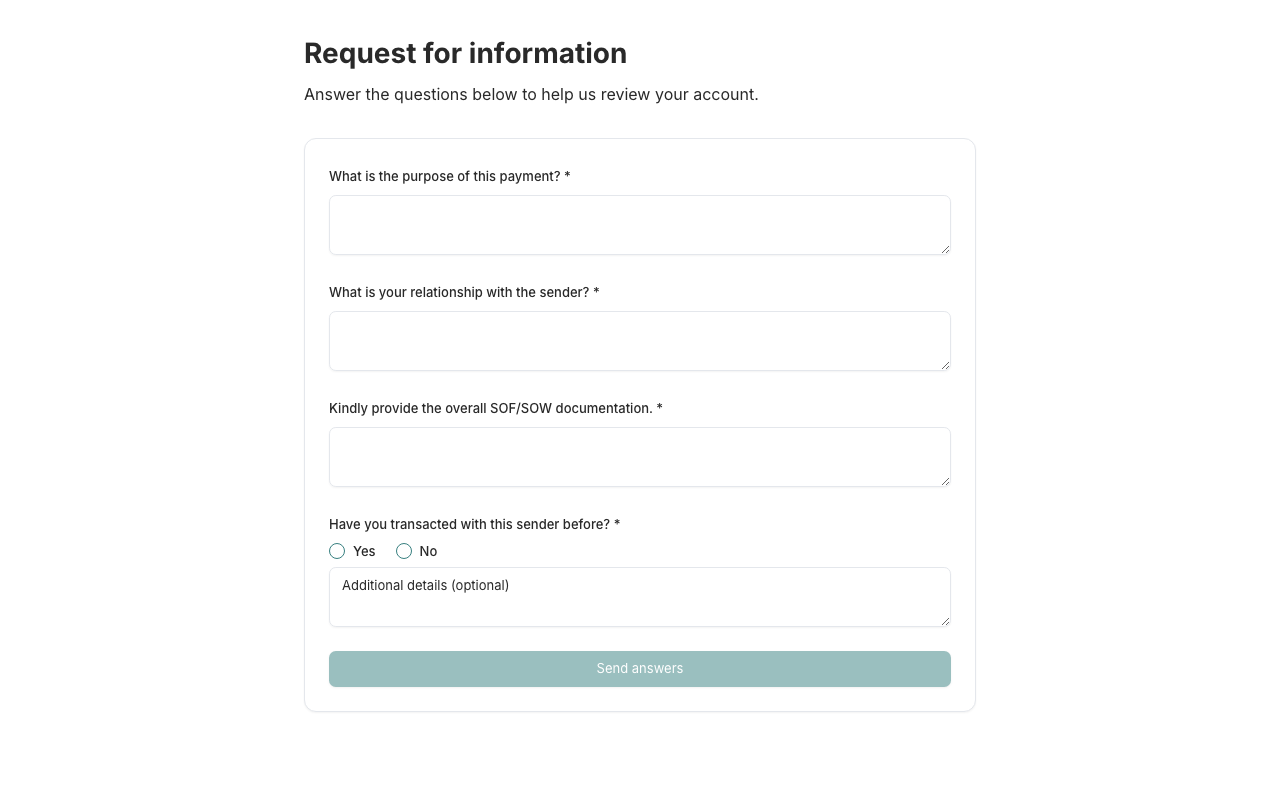
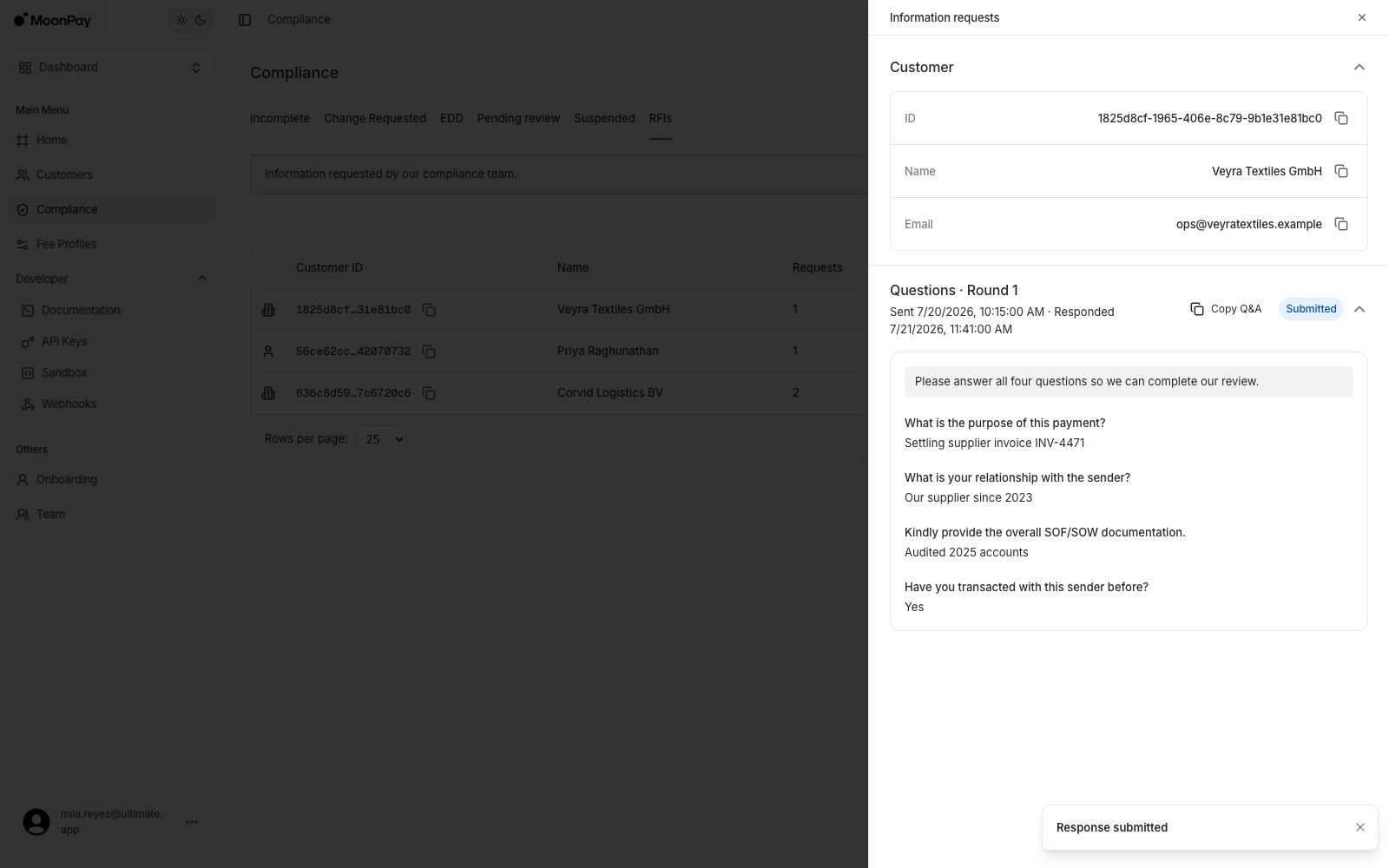
A follow-up round arrives as a new Questions · Round 2 card on the same RFI, and the customer’s row goes back to needs action. Answer it the same way, or send the customer link again.
4. Liveness requests
A liveness RFI asks your customer to redo their selfie check. It has no questions and no hosted page: click Copy the verification link and send it to your customer. If the card says the link is not ready yet, check back shortly. The request closes once MoonPay Enterprise reviews the result.After you submit
A
closed RFI says MoonPay Enterprise is done with it, not whether the response passed. The customer status and the transaction status show the result.
Do it over the API
RFIs don’t emit webhooks. PollGET /api/rfis for new requests, and see Information Requests (RFIs) for reading rounds, uploading documents and submitting a response.