

 Dashboard
1. Find your customer
Open Customers, search by name, email, ID or external ID, and click the row to open Customer Details.2. Open their transactions
Under Transaction Summary, click View all transactions. This opens Transactions in the App view, filtered to that customer.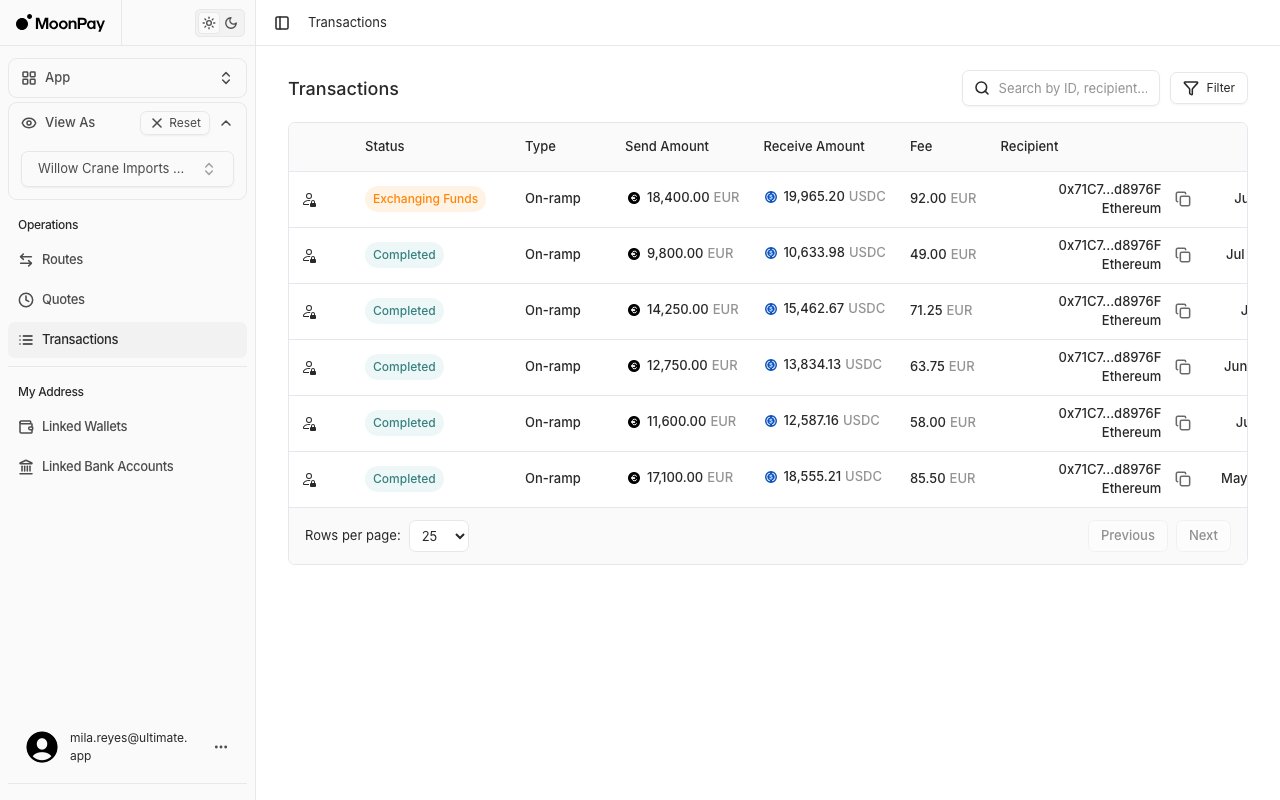
- The transaction is listed: the deposit arrived. Its status tells you where it is. See Transaction status, Transaction in Reviewing Funds and Rejected or failed transaction.
- No transactions yet: nothing was credited to the customer. Go to step 3.
3. Give the sending bank time
Most rails settle within 1-2 business days, SWIFT within 1-3. See Settlement times for each rail. Until that window has passed, the payment is in transit: tell your customer to wait. The trace reference is what banks use to find a payment. The name depends on the rail:4. Rule out wrong payment details
A deposit that reaches MoonPay Enterprise but can’t be matched to an active Onramp never becomes a transaction. MoonPay Enterprise returns it to the sender. See When no transaction appears. This happens when:- The Onramp is not
Approved, for example cancelled - A payment-by-reference account was paid without its reference
- The currency is not one the Onramp accepts
- The customer is suspended or archived
- Deposit details: in the App view, pick the customer in View As, open Routes, and click their Onramp. Deposit Account Details shows the rail, account number and bank to pay into, and Status shows whether the route is
Approved. - Rail availability: in Customer Details, Banking Capabilities lists each fiat deposit rail and whether it is Active for this customer.
5. Escalate with the bank’s answer
If the bank confirms the payment left and the details match, contact support with:- The customer ID
- Amount, currency and date sent
- The account details and payment reference the customer used
- The sending bank’s trace reference from step 3
Do it over the API
Subscribe to the
transaction webhook to hear about a new transaction as soon as the deposit lands, instead of checking by hand.