

1. Find your customer
Open Compliance > EDD: highest priority, these customers can’t be approved until the extra checks clear.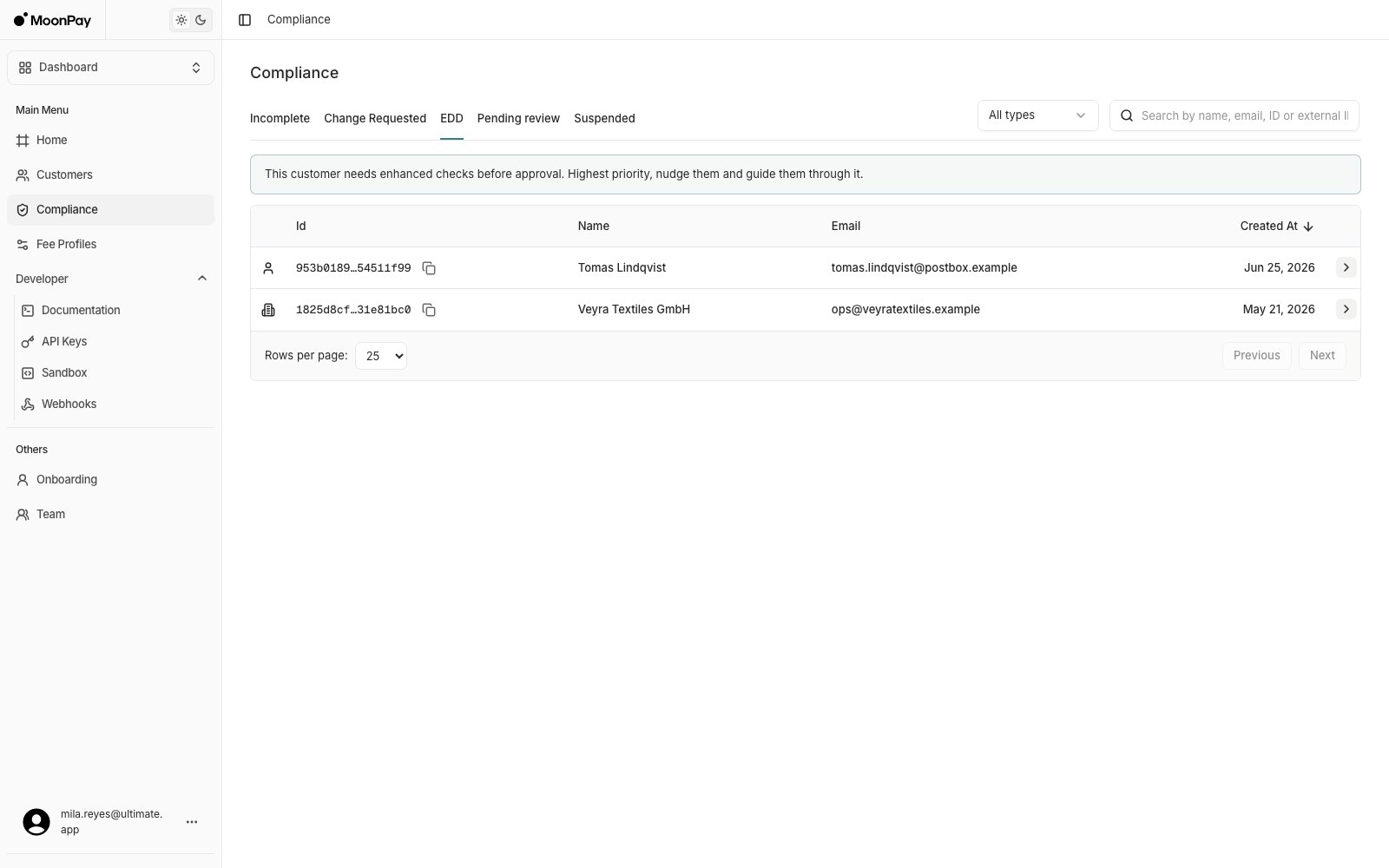
2. Confirm what is being asked
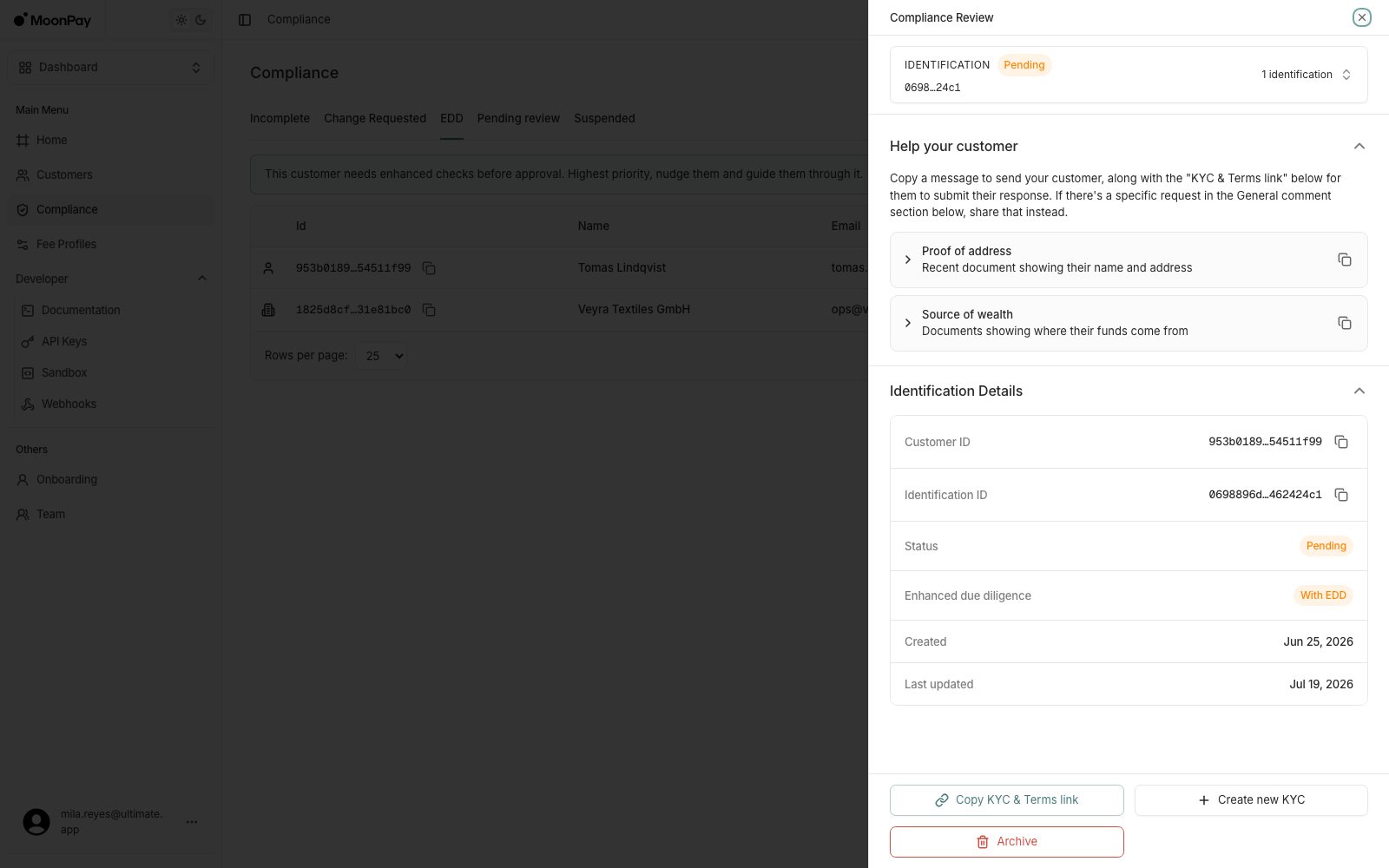
Compliance > EDD > click the applicable customer > Help your customer: each outstanding item is listed there as its own row, for example:- Proof of address: a recent document showing their name and address
- Source of wealth: documents showing where their funds come from
3. Guide them through it
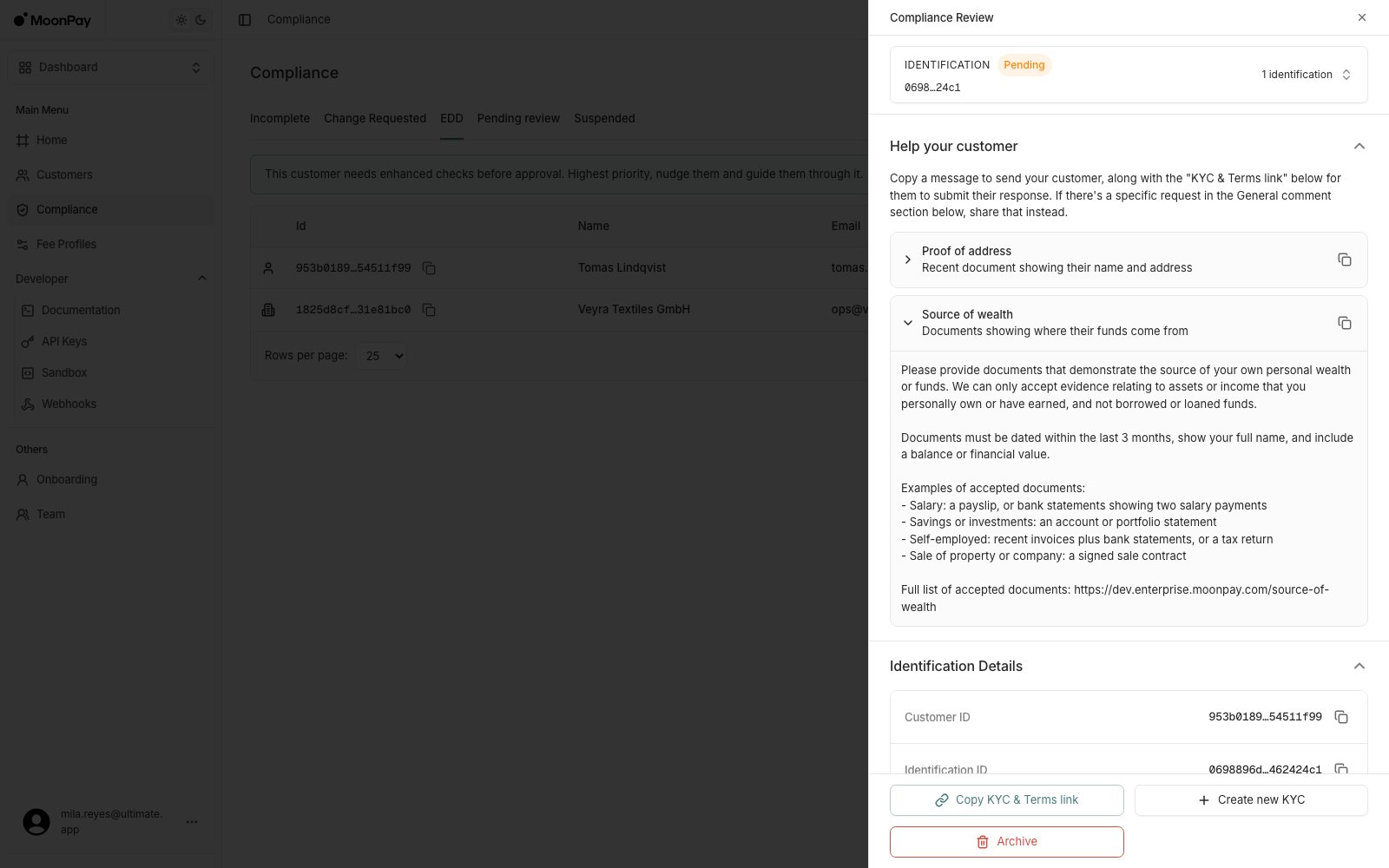
- Expand either guidance item for a ready-to-send message listing the accepted documents and rules, with its own copy button. Send it alongside KYC & Terms link to take the customer into the EDD flow.
- Upload documents: if they’ve already emailed you the document, submit it for them instead.
4. Escalate a standard customer into EDD
For a customer not yet in EDD, Trigger EDD starts the enhanced process. It does not appear for customers already in EDD, because there is nothing to start. The customer then resubmits documents through the EDD flow before they can be approved, so only trigger it when EDD is required for that customer.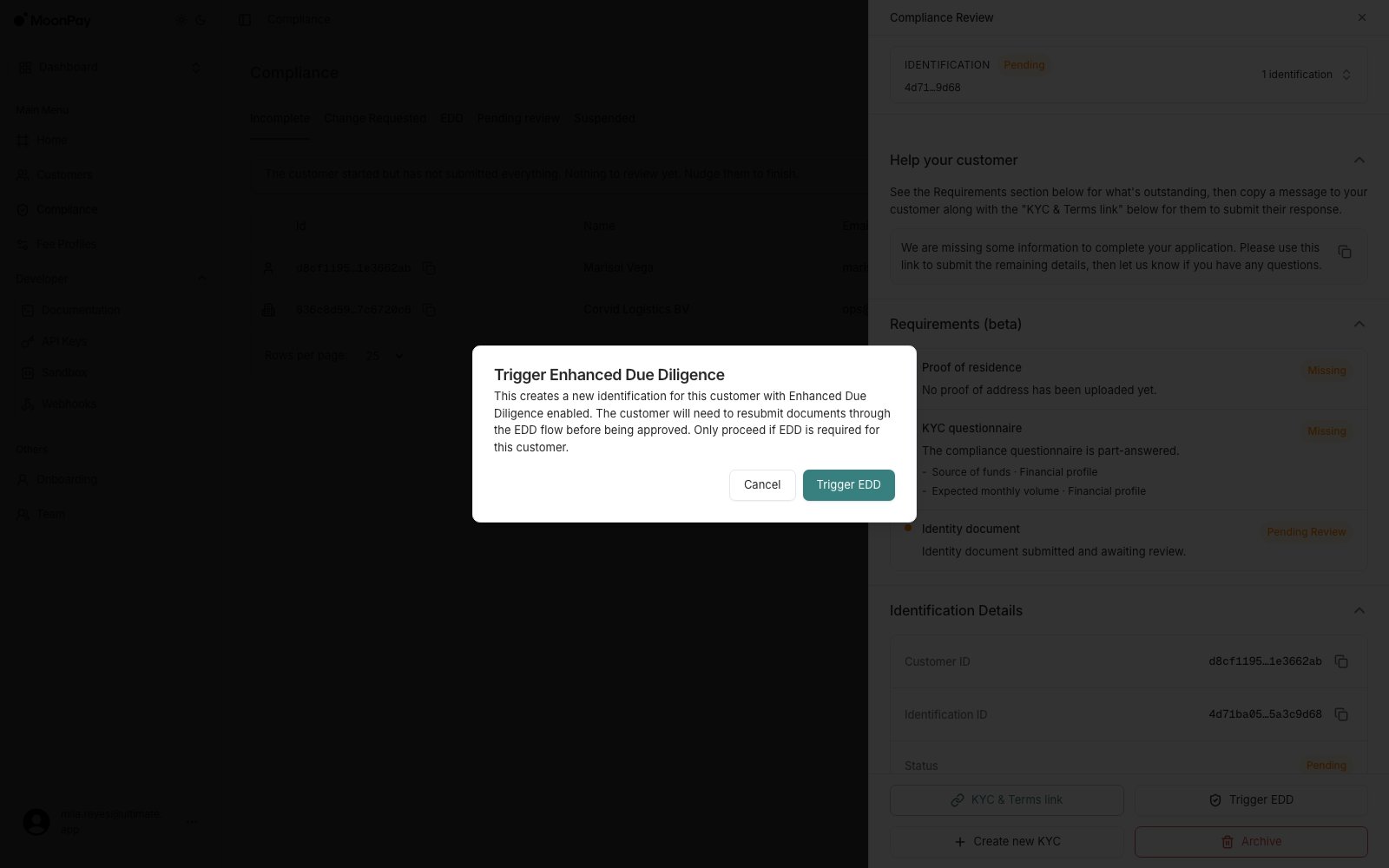
The API uses “source of funds” naming in two places:
source_of_funds_proof carries the document in the EDD questionnaire, and source_of_funds is a business verification field. For an individual customer, what’s being requested is source of wealth evidence either way.