

Sandbox Location
- Partner Dashboard: https://app.sandbox.iron.xyz
- Please reach out to request access to your sandbox environment.
Differences to Production
The Sandbox is optimized to test and integrate the MoonPay Enterprise APIs. Therefore, it has multiple differences compared to the production system in order to make it easy to work with.- In production, only an administrator can create an API Key (and then give it to an engineer with an Editor role). In the sandbox, an Editor can also create API Keys to make it easy to test.
- In the sandbox, fiat and crypto flows are simulated. Neither real IBANs nor testnet crypto is used. Instead, we offer a Sandbox API to create mock incoming fiat or crypto transactions.
- Any accept/reject flow can be controlled by the user. Instead of going through an email flow, there’s a convenient control center where the engineer can decide whether to accept or reject customer fiat accounts, Autoramps, etc.
- The sandbox offers a Reset function to remove all data and start from a pristine state.
- The sandbox has additional
/sandboxAPIs to fully control all the above features. See Sandbox API below.
Managing the Sandbox
You can manage the Sandbox in the Sandbox area of the Partner Dashboard.1
Log in to the Partner Dashboard.
2
Navigate to Developer → Sandbox.
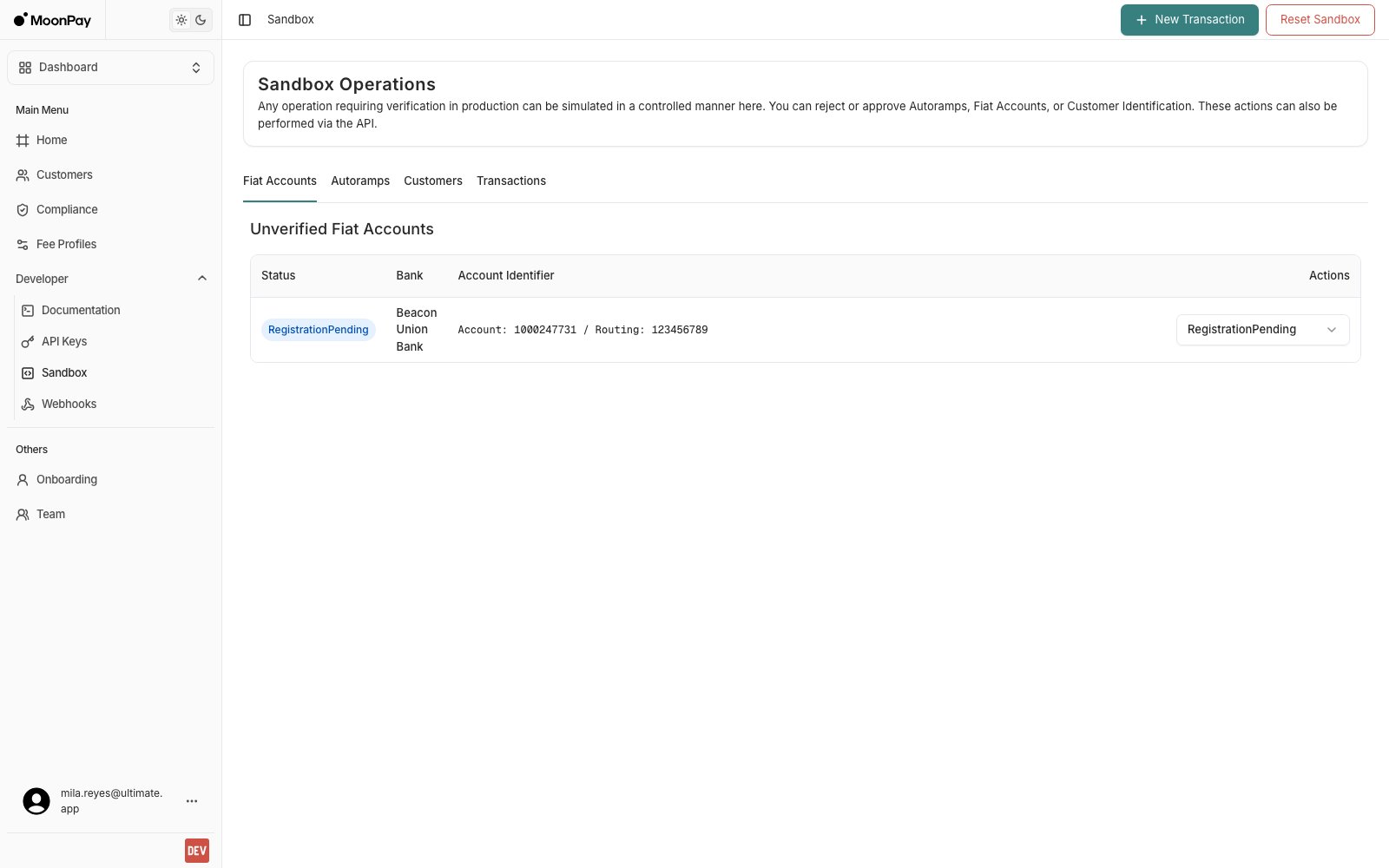
The Sandbox page, with New Transaction and Reset Sandbox in the header.
Sandbox Operations
The Sandbox page is organised into Fiat Accounts, Autoramps, Customers, and Transactions tabs, with New Transaction and Reset Sandbox in the top right. Each tab lists one status, so a row leaves its tab as soon as you act on it. An empty tab means nothing is waiting on you.Manage Pending Fiat Accounts
When a sandbox customer registers a new fiat account, it appears under Unverified Fiat Accounts on the Fiat Accounts tab. Open the status dropdown on the row and pick Registered. The account then leaves the tab, because the tab only lists accounts inRegistrationPending.
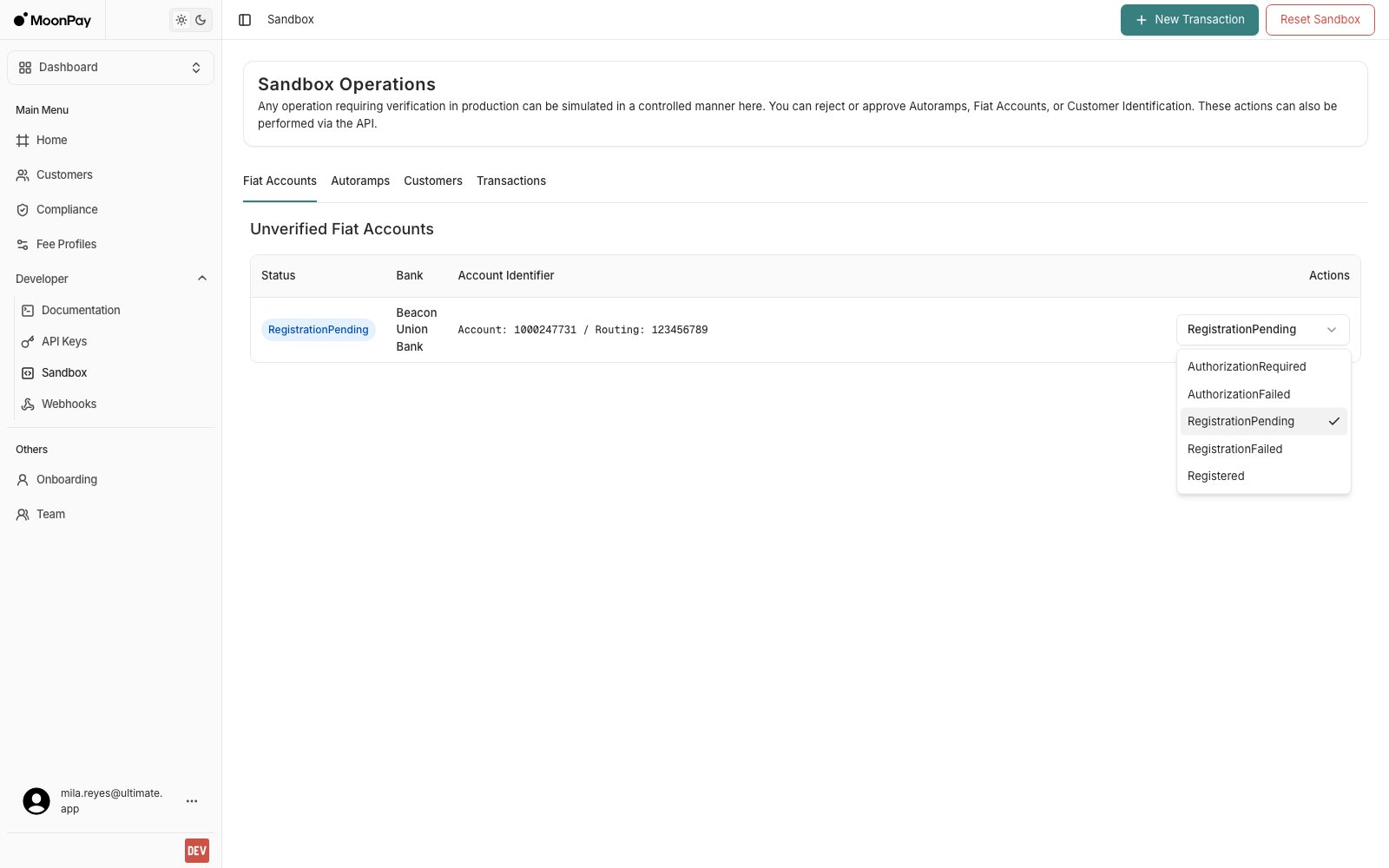
The status dropdown on an unverified fiat account.
The dashboard sends
Registered for every option in this dropdown. To move an account to a failure status, call PUT /api/sandbox/fiat-verification/{id} with the status you want.Manage Pending Autoramps
When a sandbox customer creates a new Autoramp, it appears under Unverified Autoramps on the Autoramps tab. The status dropdown offers Created, Authorized, and Rejected.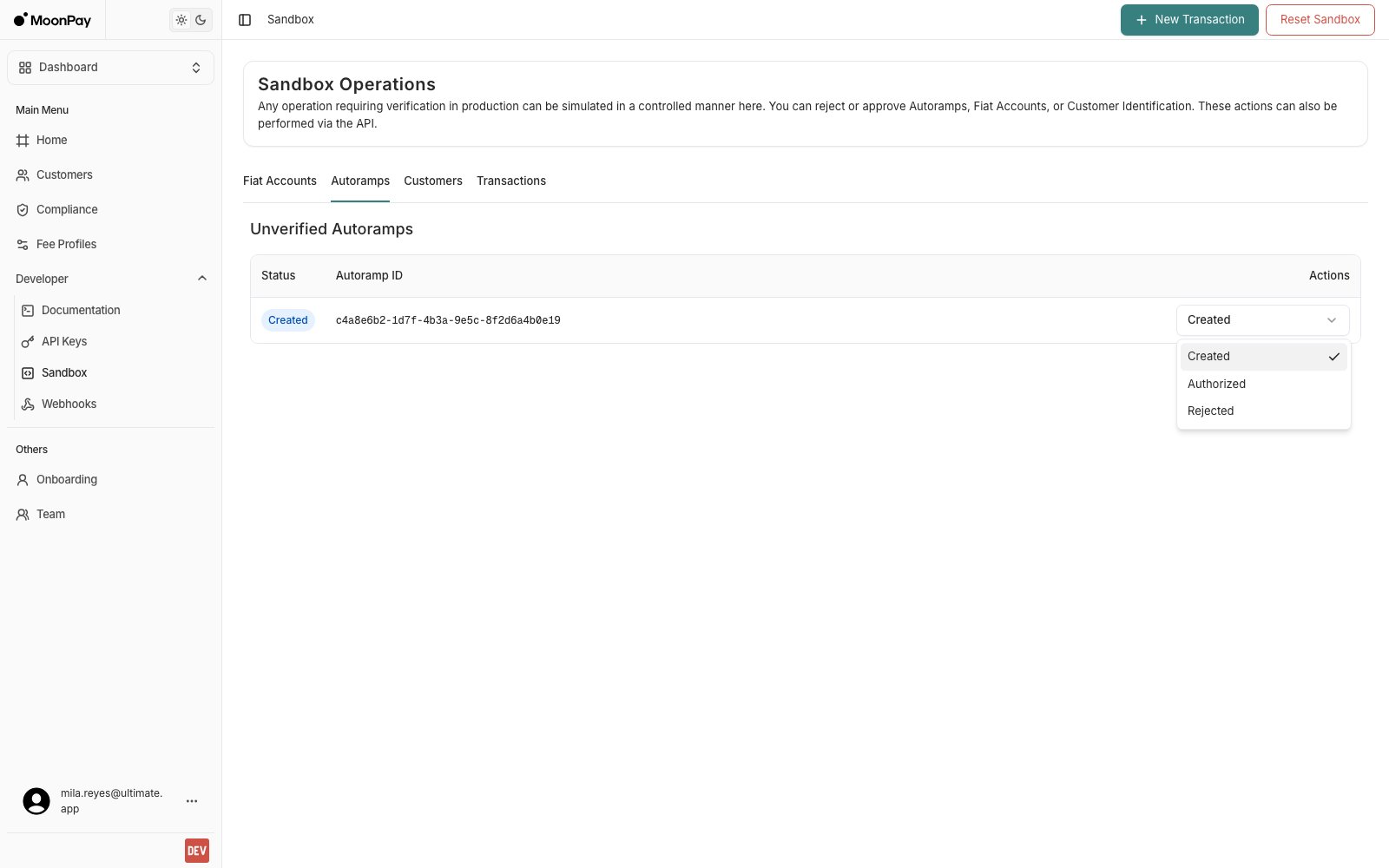
The status dropdown on an unverified Autoramp.
Choose Authorized to provision the mock deposit account, which is what a simulated deposit needs. Sending
"Approved" to PUT /api/sandbox/autoramp/{id} provisions the same account and also moves the autoramp to Approved, so use the API call if you want to see the Approved status your integration waits for.Drive a Customer Through Onboarding
The Customers tab lists every customer with astatus of IdentificationRequired or SigningsRequired, alongside the identification_status of their latest identification. Only customers of the partner selected at the top of the page are listed, since the sandbox actions run against one partner at a time.
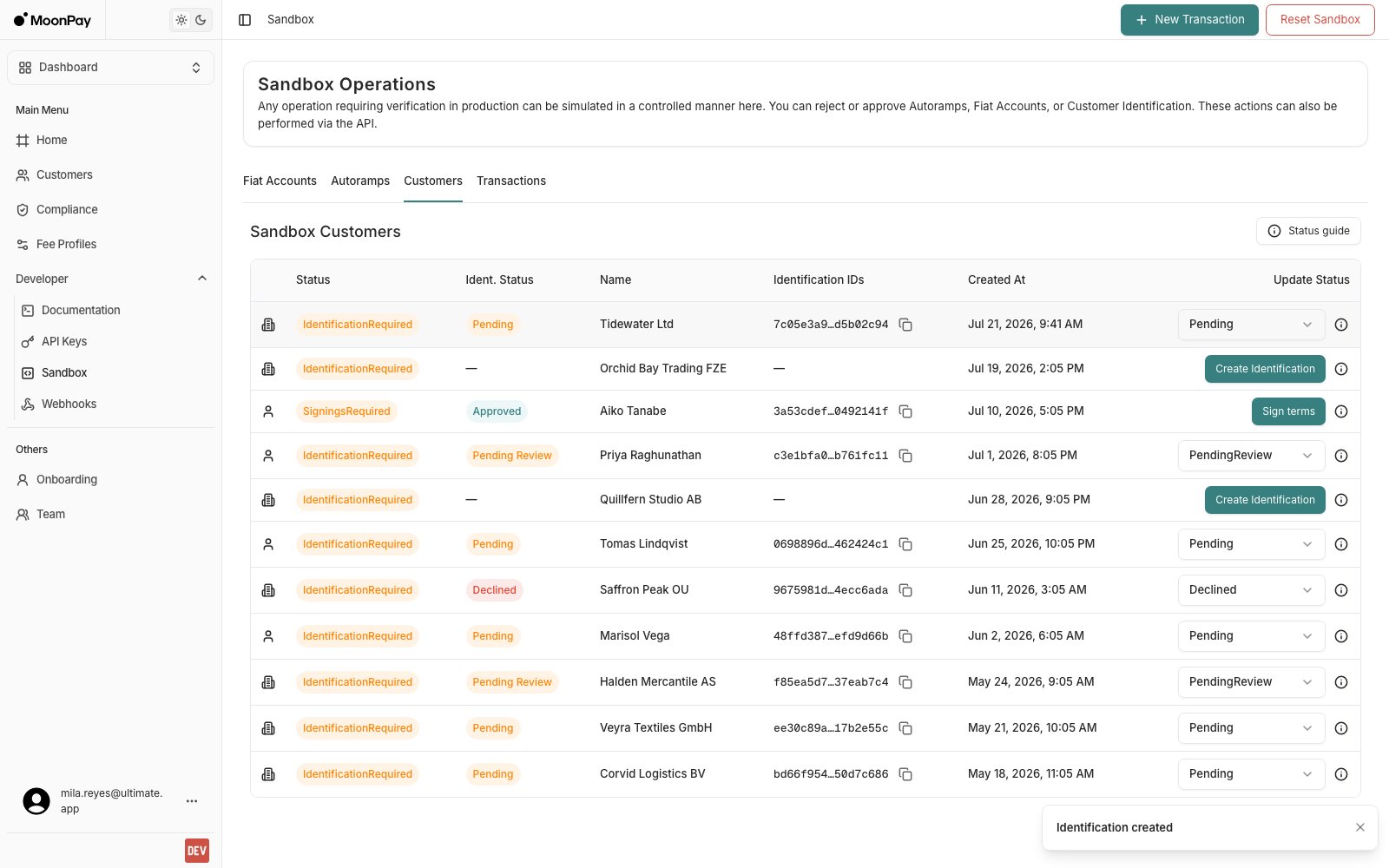
The Customers tab. Each row offers the action its own state needs.
The dropdown reaches
Pending, Processed, PendingReview, Approved, Declined, Expired, and Archived. The sandbox ignores the normal transition rules, so you can jump straight to the status you want to test instead of walking the whole flow. In production, the MoonPay Enterprise compliance team drives these transitions.
Status guide in the tab header opens the status combinations and what to show for each one. It is the same mapping as Mapping Onboarding Statuses in Your App.
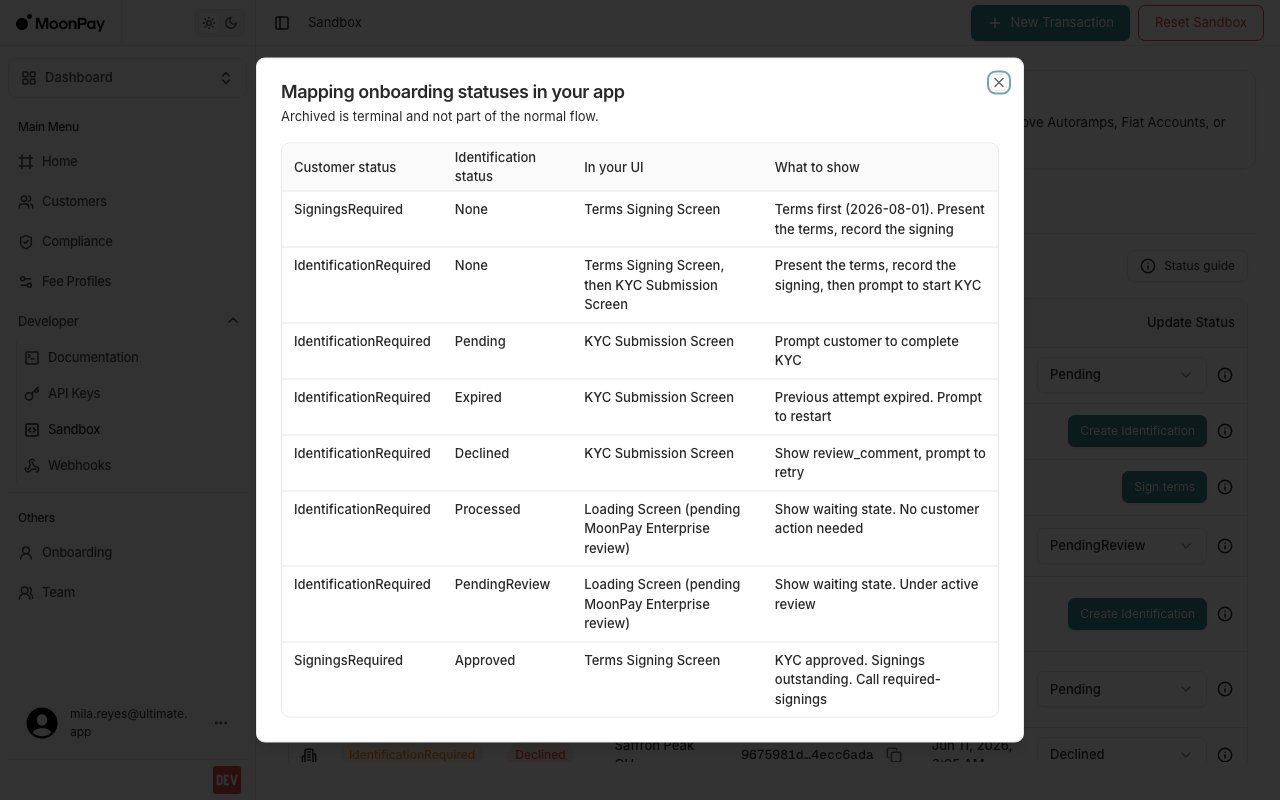
Status guide: every status combination and what to show for it.
Create a Transaction
New Transaction opens the Create New Sandbox Transaction screen, the UI equivalent ofPOST /api/sandbox/transaction. Select a Customer, pick a Ramp from that customer’s autoramps, enter an Amount in the ramp’s input currency, then click Execute Transaction.
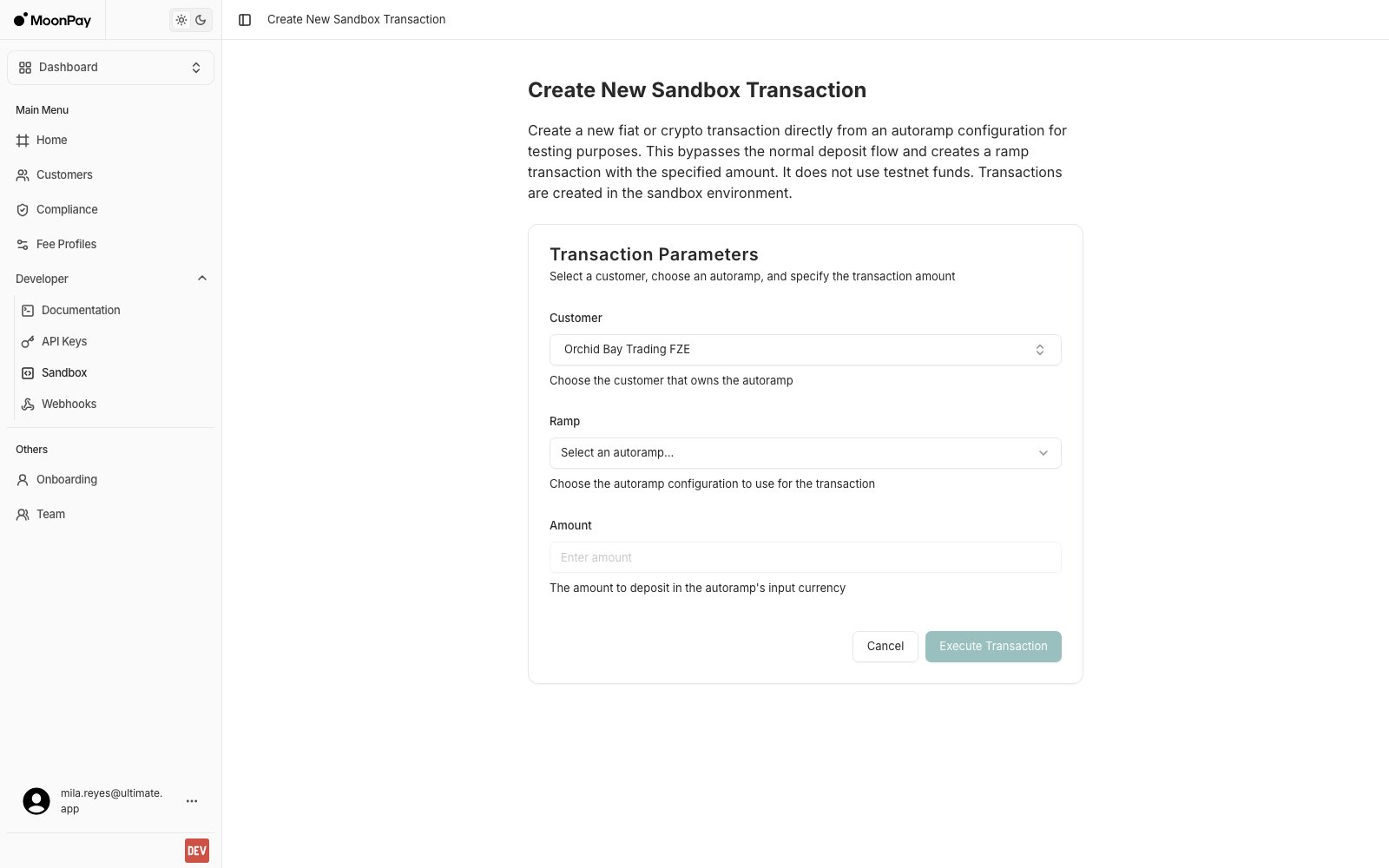
Create New Sandbox Transaction. The Customer field defaults to your newest customer and is searchable.
Settle a Transaction
Pending transactions are listed under Pending Transactions on the Transactions tab, with Accept and Reject buttons and a state dropdown for moving a transaction to a specific state. Accept setsCompleted and Reject sets Failed. All three controls call PUT /api/sandbox/transaction/{id}/state.
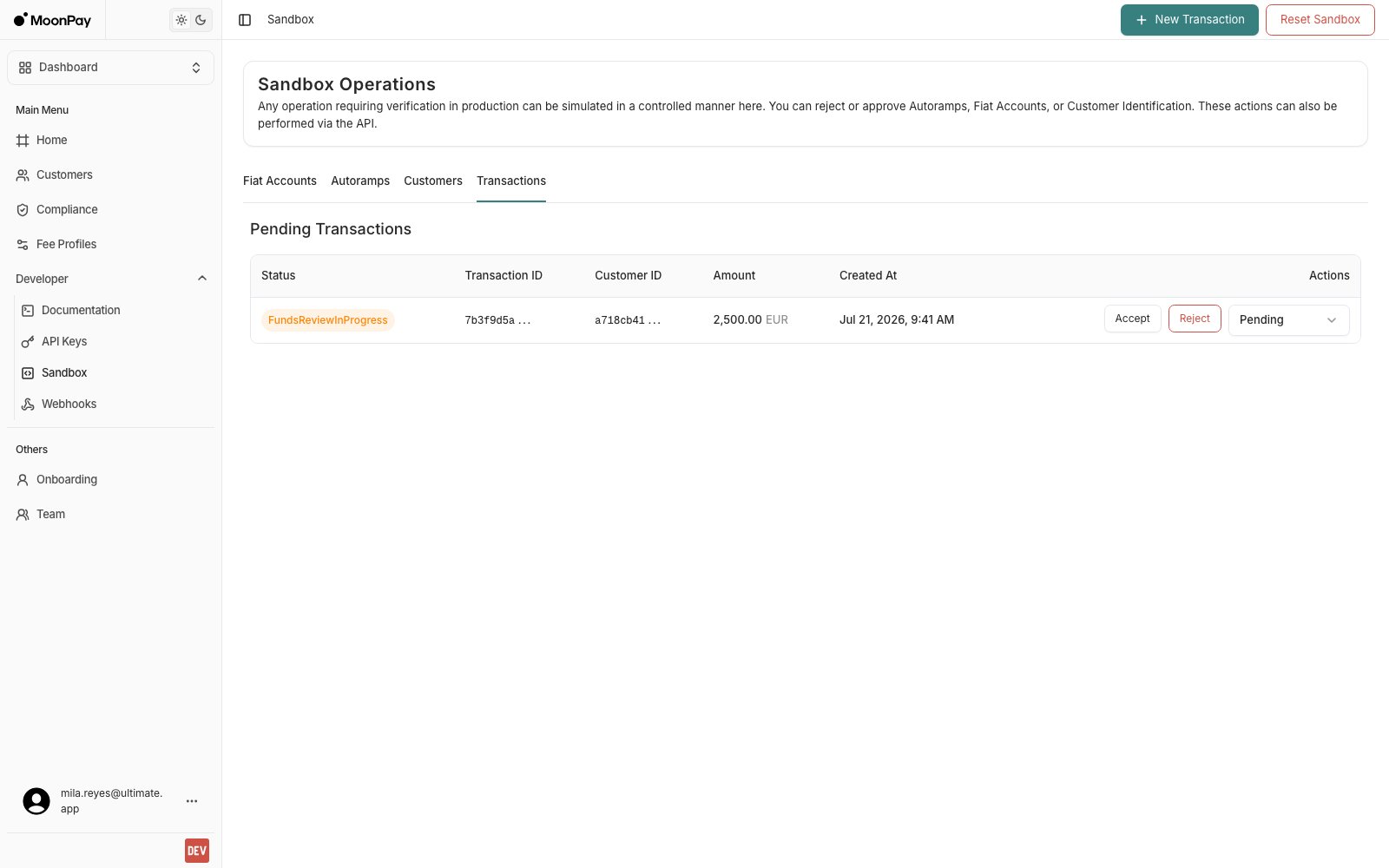
Pending Transactions, with Accept, Reject and the state dropdown.
Reset Sandbox
Reset Sandbox removes all customers, wallets, fiat accounts, transactions, and Autoramps. It asks you to confirm first, and it cannot be undone.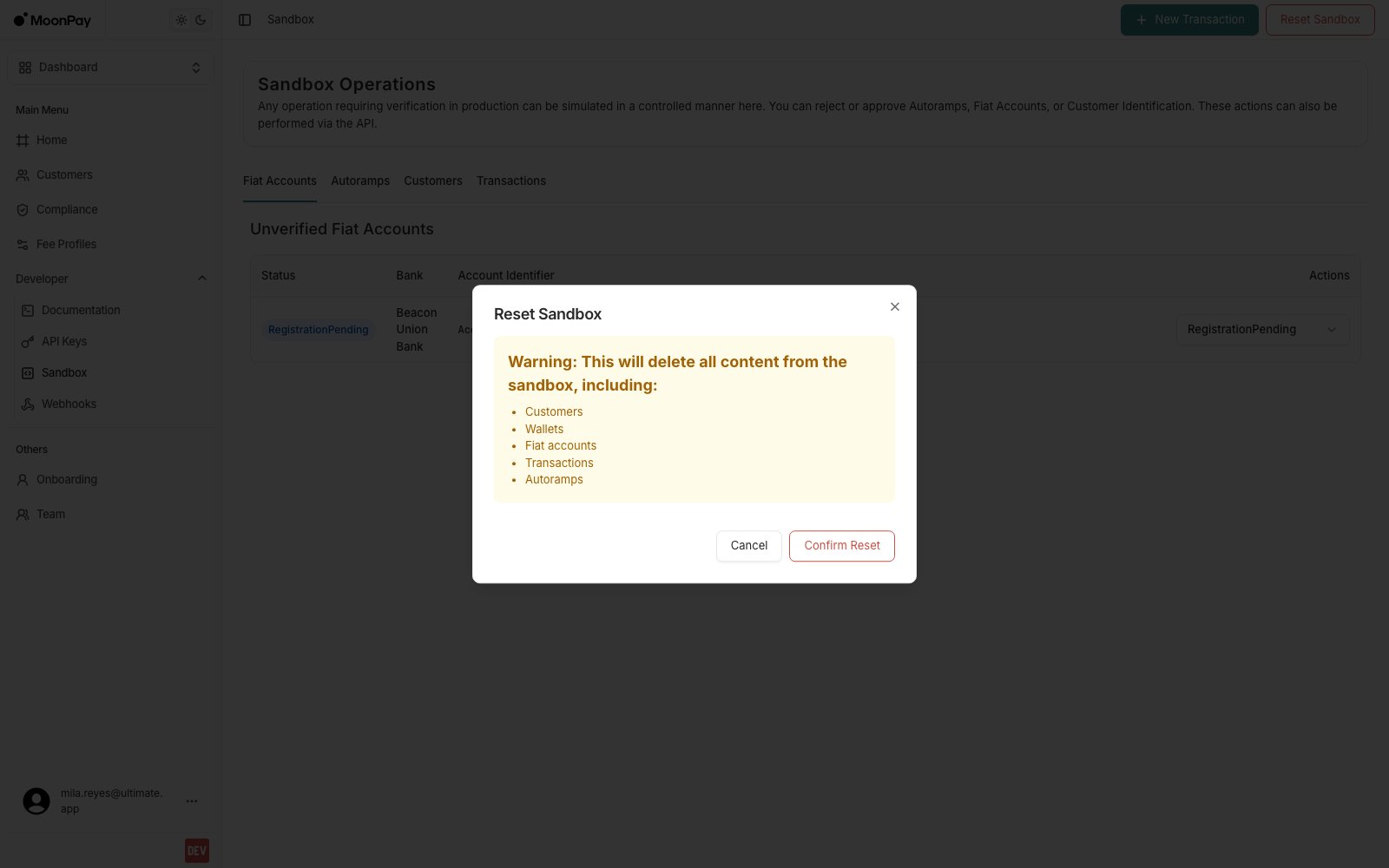
Reset Sandbox lists what it deletes before you confirm.
The tables do not clear themselves after a reset. Reload the page to see the empty tabs.
Sandbox API Key
The Sandbox APIs require an API Key just like the rest.
Replace
YOUR-API-KEY with the actual API key you generated. The X-API-Key header is required for every request. API Base URL: https://api.sandbox.iron.xyzSandbox API
The sandbox offers additional APIs that do not exist in production, grouped under Sandbox in the API reference. They let you create mock transactions, control approval flows, and reset your environment.All paths below are relative to the API base URL:
https://api.sandbox.iron.xyzCreate a Sandbox Transaction
POST /api/sandbox/transaction
Creates a transaction directly from an autoramp configuration. This bypasses the normal deposit flow and creates a ramp transaction with the specified amount using the autoramp’s currencies, customer, and recipient.
Update Sandbox Transaction State
PUT /api/sandbox/transaction/{id}/state
Transition a sandbox transaction to a different state for testing purposes.
Set Identification Status
POST /api/sandbox/identification/{id}/status
Set a customer’s identification to any status, bypassing the normal transition rules, so you can rehearse every branch of your onboarding UI. In production, MoonPay Enterprise’s compliance team drives these transitions.
Update Identification Status (deprecated)
POST /api/sandbox/identification/{id}
Approve or reject a pending customer identification. Use Set Identification Status instead: it reaches every status, not just approved and rejected.
Update Fiat Address Registration Status
PUT /api/sandbox/fiat-verification/{id}
Set the registration status of a fiat address. The request body is a plain JSON string (one of the enum values below).
Update Autoramp Status
PUT /api/sandbox/autoramp/{id}
Set the status of an autoramp. The request body is a plain JSON string (one of the enum values below).
Reset the Sandbox
POST /api/sandbox/reset
Deletes all customers, wallets, fiat accounts, transactions, and autoramps. Requires an IDEMPOTENCY-KEY header.