> ## Documentation Index
> Fetch the complete documentation index at: https://dev.enterprise.moonpay.com/llms.txt
> Use this file to discover all available pages before exploring further.
# Resolve rejected documents
> Find customers whose documents were rejected, see exactly why, and fix it: resend a link, upload a replacement, or start a new KYC if the item can't be retried.
### 1. Find your customer
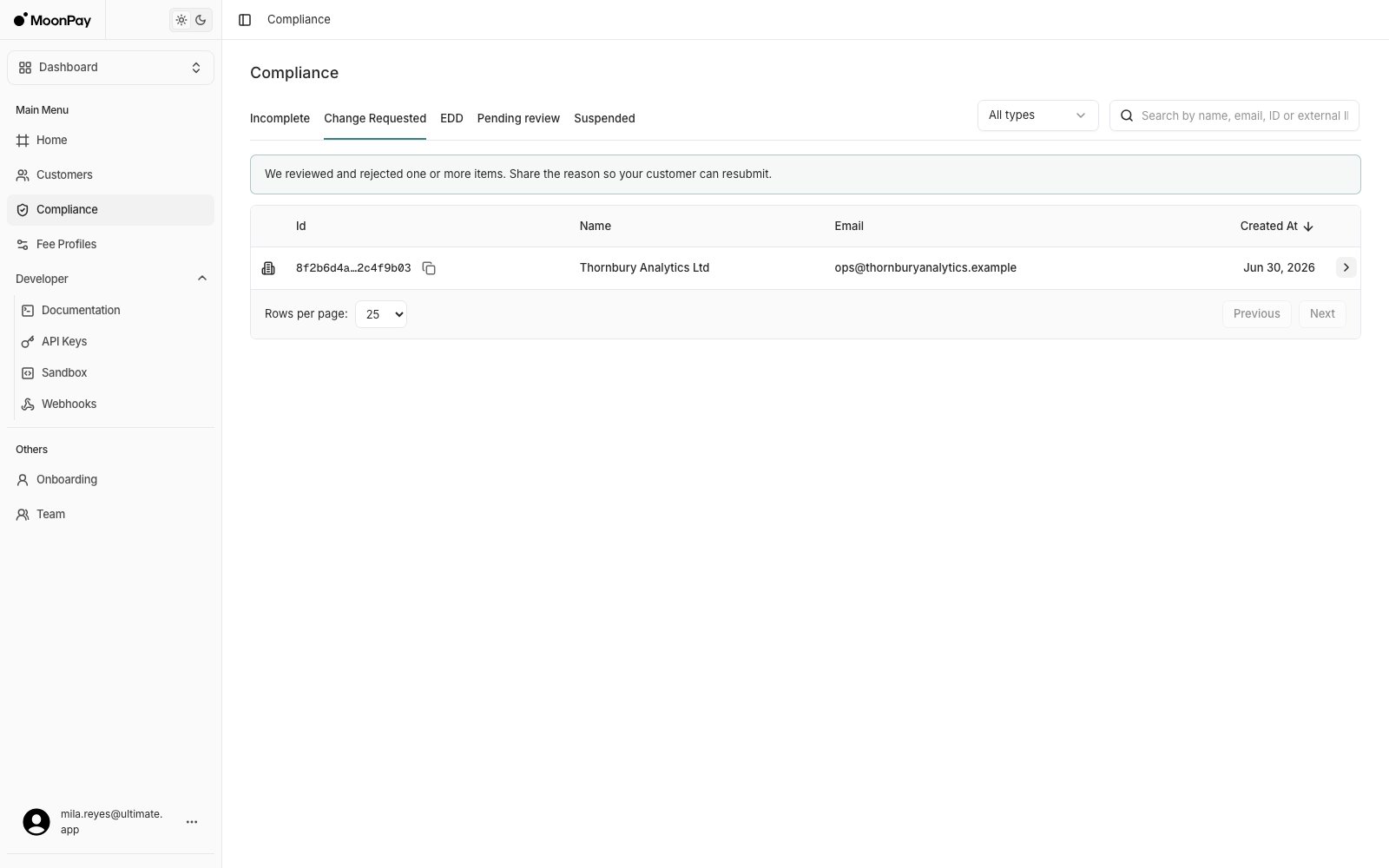
Open **Compliance** > **Change Requested**: customers with one or more rejected items.
 ### 2. Read the reason
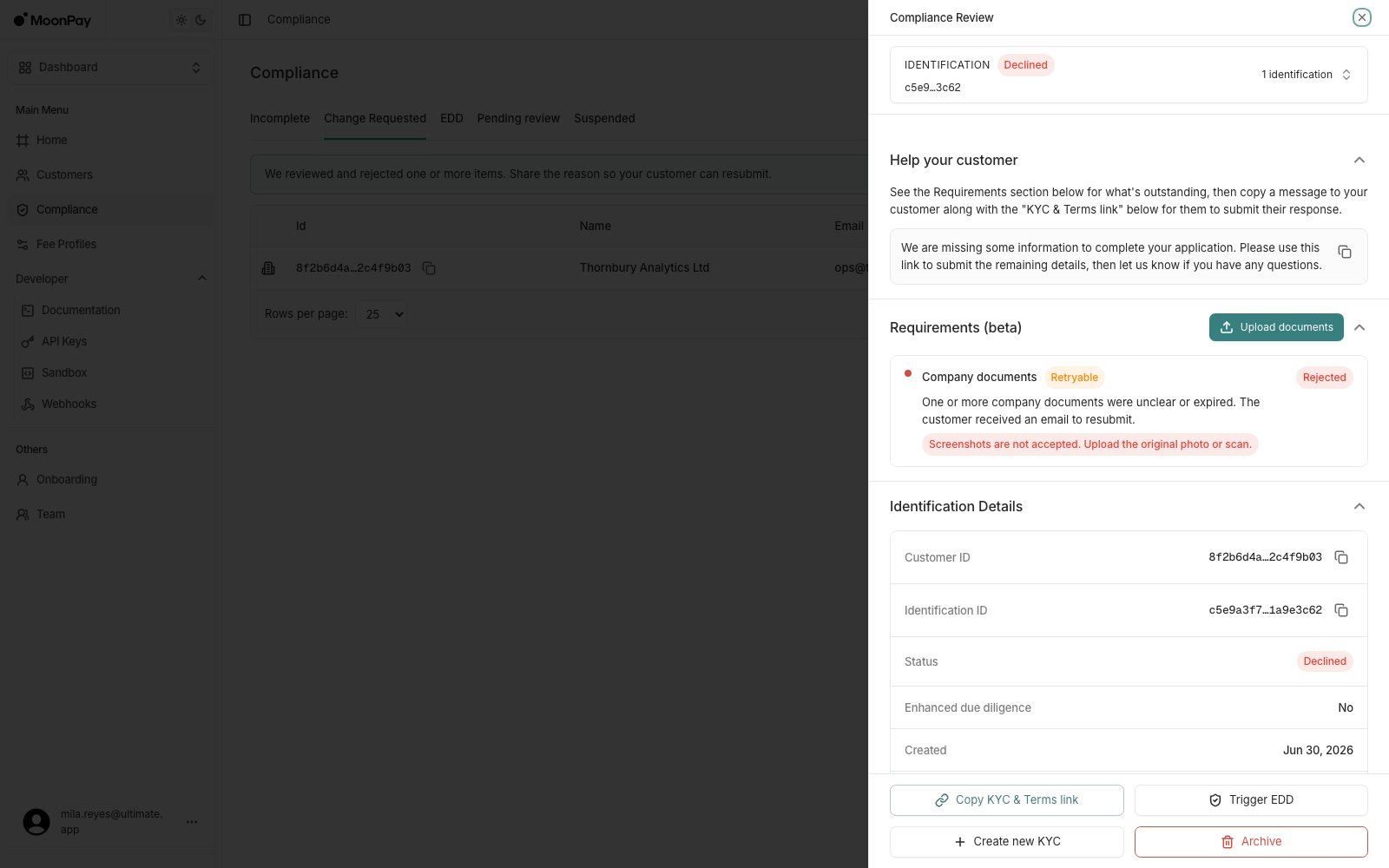
Click the row > **Requirements**: the rejected item carries its reject reason, for example that screenshots are not accepted and the original photo or scan is needed, along with whether it's marked **Retryable**. Pass the reason on to the customer only if it's retryable.
### 2. Read the reason
Click the row > **Requirements**: the rejected item carries its reject reason, for example that screenshots are not accepted and the original photo or scan is needed, along with whether it's marked **Retryable**. Pass the reason on to the customer only if it's retryable.
 ### 3. Fix it, one of two ways
* **Copy KYC & Terms link**, if the item is retryable: send the customer the link again so they can resubmit it themselves.
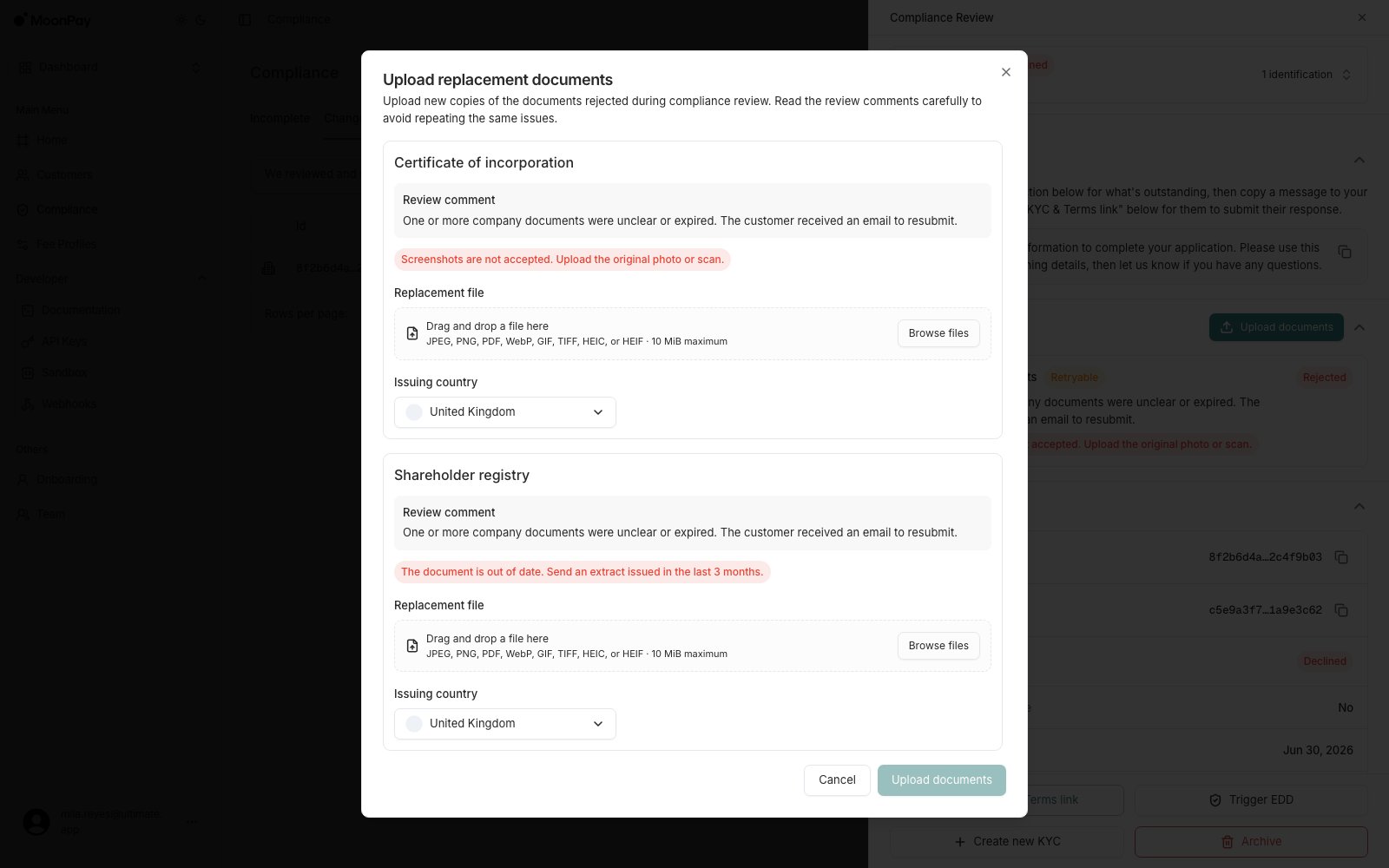
* **Upload documents**, top right of the Requirements section: submit a replacement yourself. It lists only the rejected documents, each with its review comment and issuing country, and accepts JPEG, PNG, PDF, WebP, GIF, TIFF, HEIC or HEIF up to 10 MiB.
### 3. Fix it, one of two ways
* **Copy KYC & Terms link**, if the item is retryable: send the customer the link again so they can resubmit it themselves.
* **Upload documents**, top right of the Requirements section: submit a replacement yourself. It lists only the rejected documents, each with its review comment and issuing country, and accepts JPEG, PNG, PDF, WebP, GIF, TIFF, HEIC or HEIF up to 10 MiB.
 ### 4. Start over if it is terminal
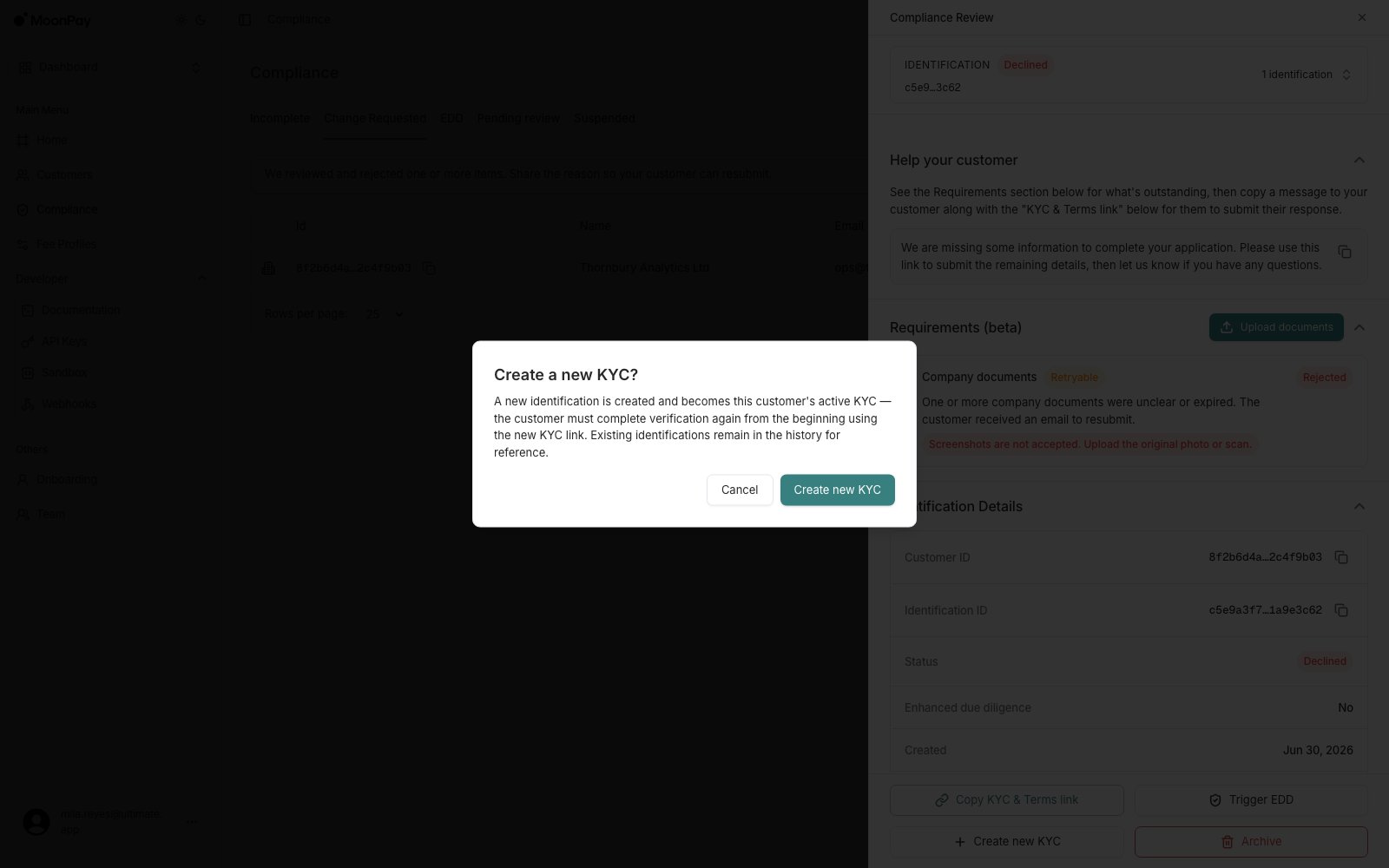
If the item is not retryable, or there's no clear indication that it can be, **Create new KYC** starts a fresh verification instead. The new identification becomes the customer's active KYC and they start again from the beginning; earlier identifications stay in the history.
### 4. Start over if it is terminal
If the item is not retryable, or there's no clear indication that it can be, **Create new KYC** starts a fresh verification instead. The new identification becomes the customer's active KYC and they start again from the beginning; earlier identifications stay in the history.
 **Upload documents** appears only when the outstanding item is a retryable document requirement, and only for team members whose role carries the `UploadIdentificationDocument` permission. If you cannot see the button, either the blocking item is not a document or your role does not allow it. The section is labelled beta.