> ## Documentation Index
> Fetch the complete documentation index at: https://dev.enterprise.moonpay.com/llms.txt
> Use this file to discover all available pages before exploring further.
# Resume a stalled onboarding
> Find customers who stalled partway through verification and send them a new KYC link, straight from the dashboard.
### 1. Find your customer
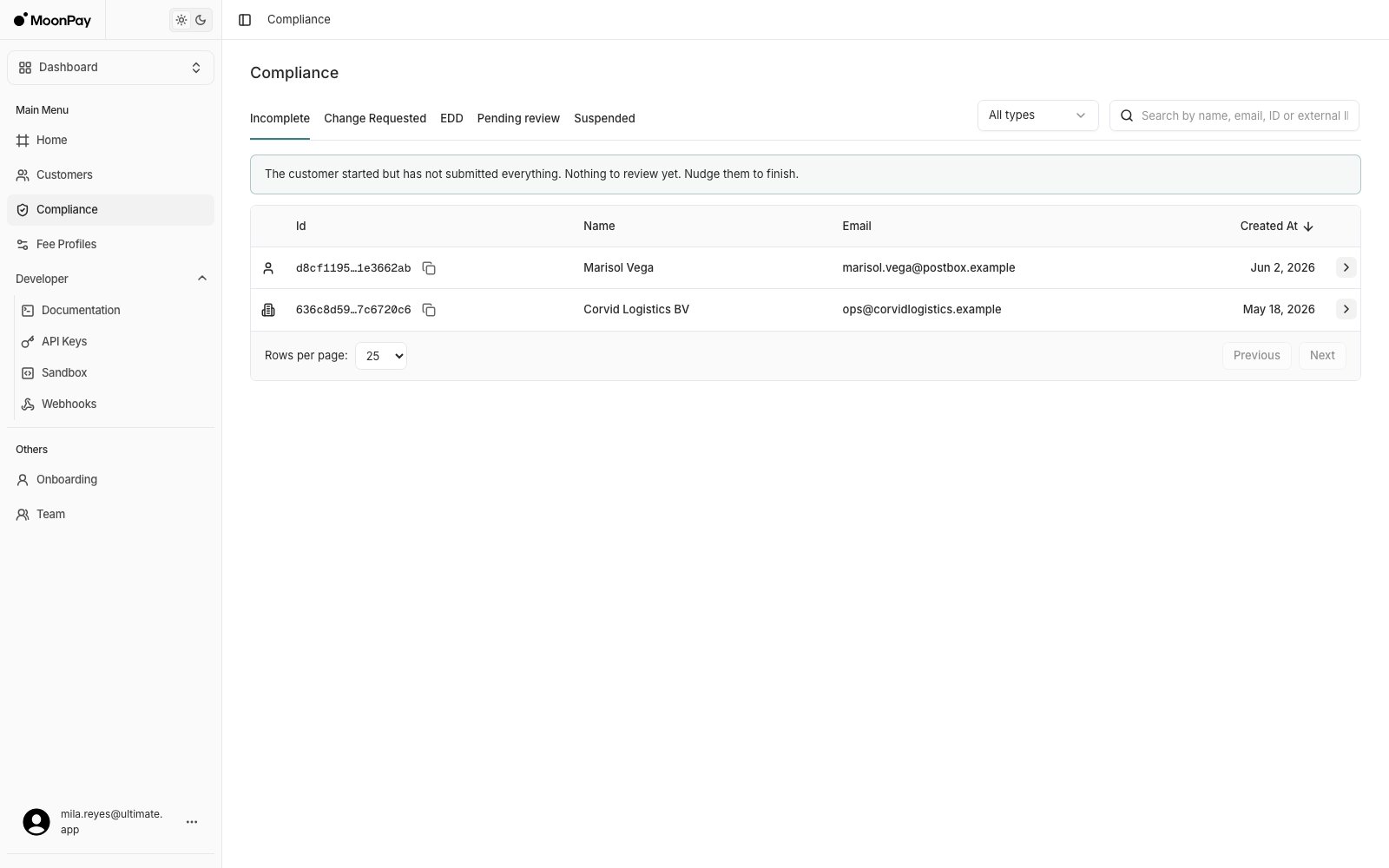
Open **Compliance** > **Incomplete**.
 ### 2. See what is missing
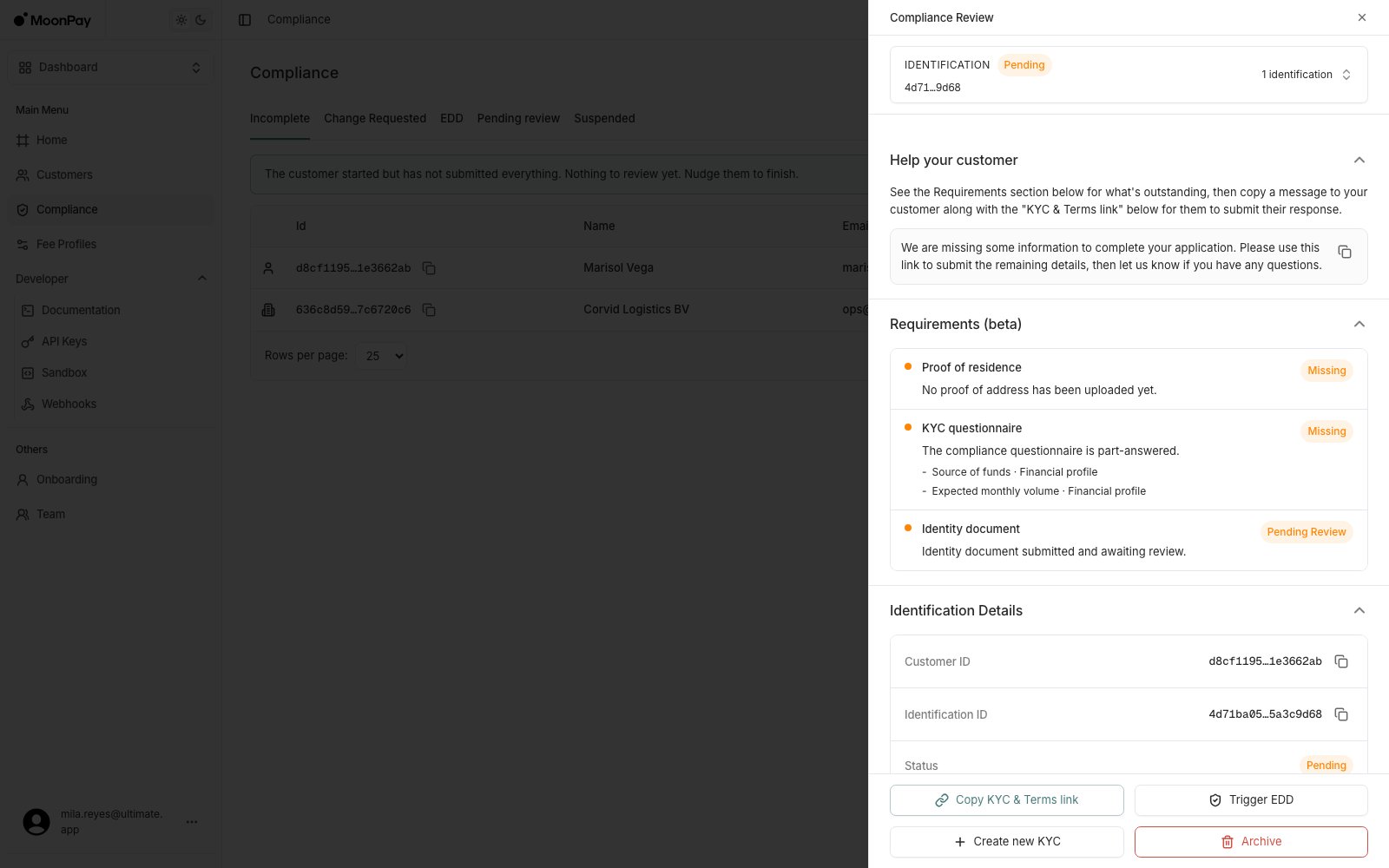
Click the customer's row, then open **Requirements** to see exactly which items are still missing.
### 2. See what is missing
Click the customer's row, then open **Requirements** to see exactly which items are still missing.
 ### 3. Send them a link
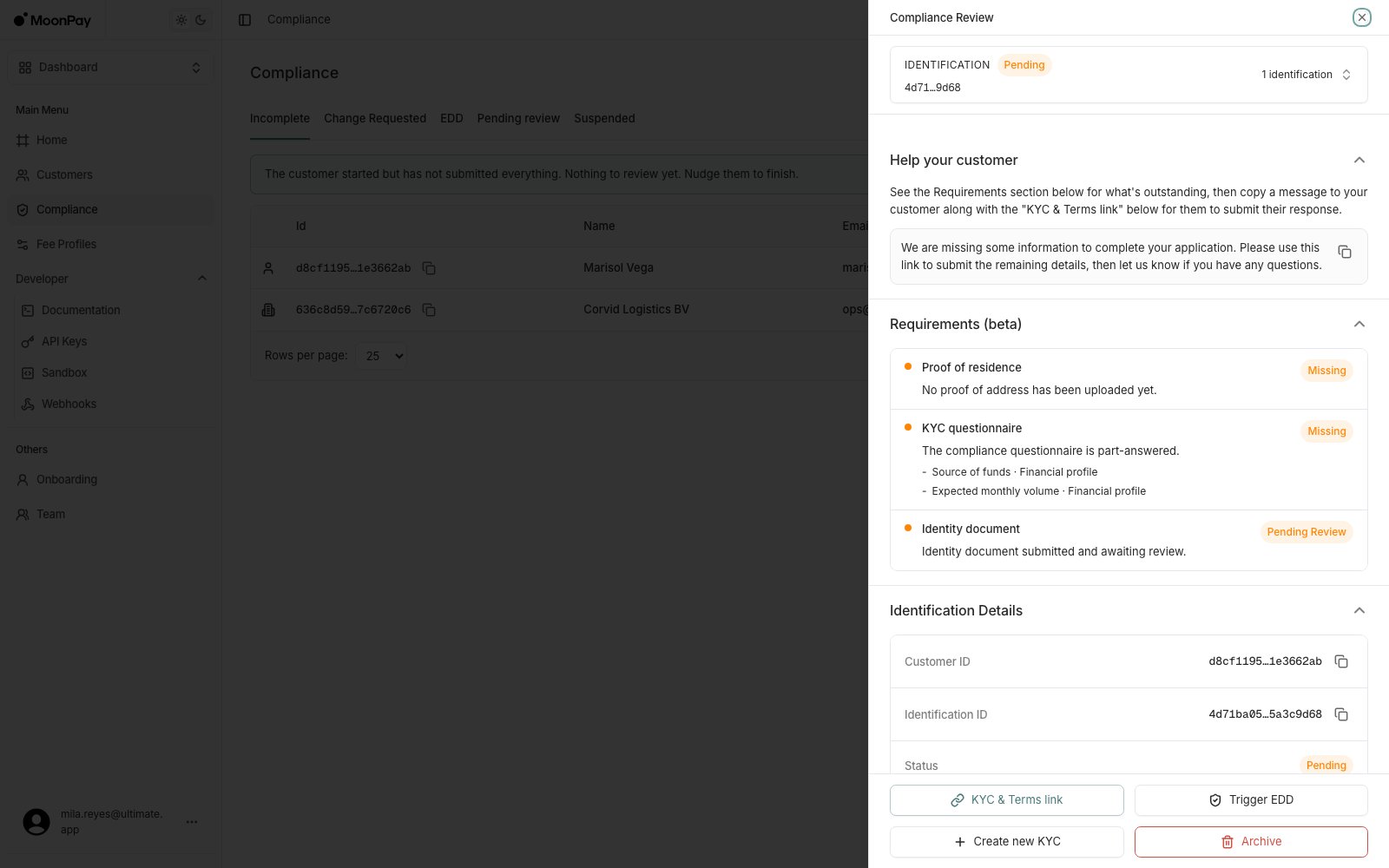
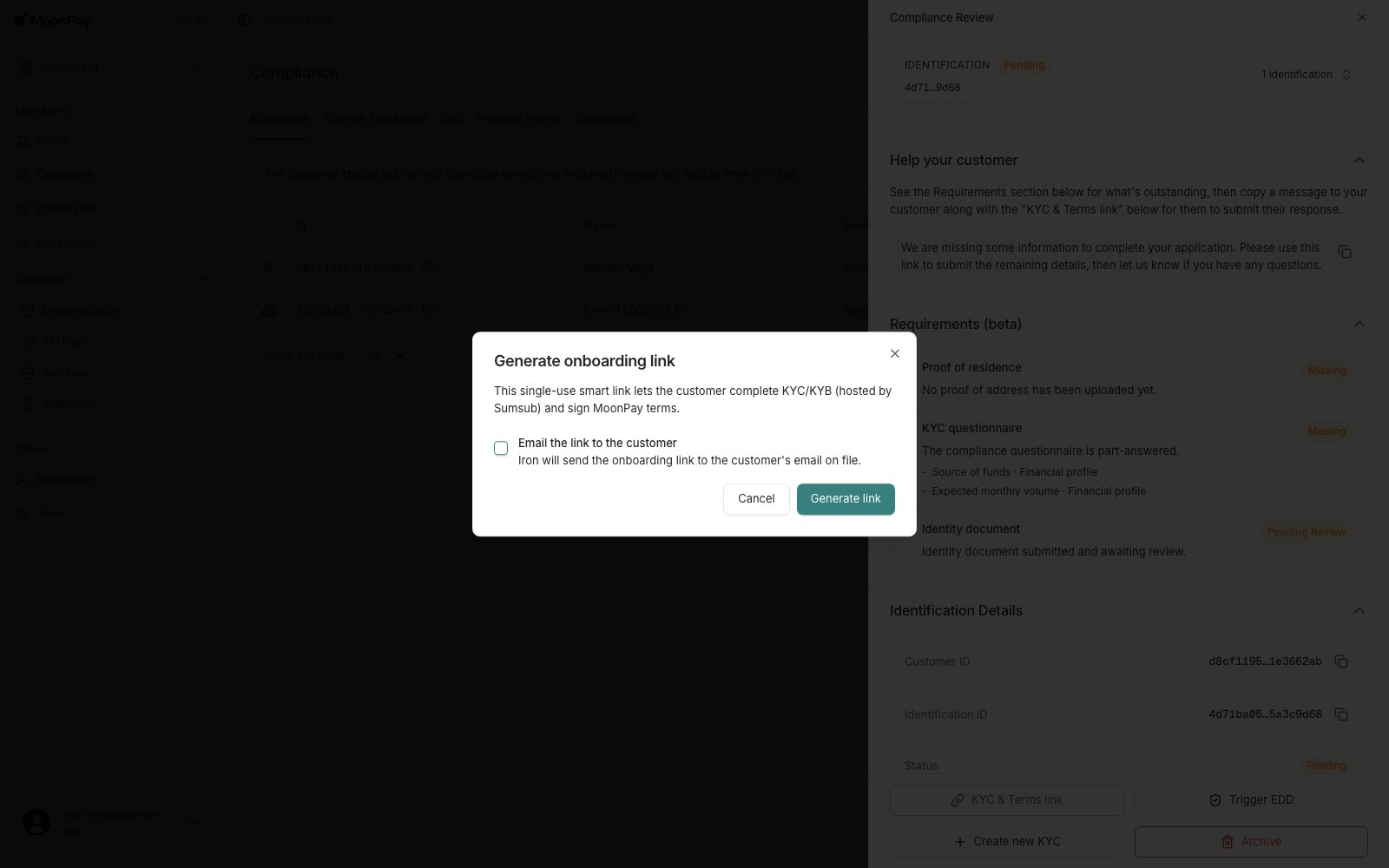
Click **KYC & Terms link** to generate a link covering verification and terms signing. It's copied straight to your clipboard.
* **Help your customer** gives you a ready-to-send message naming what is missing, with its own copy button. Pair it with the link if you're messaging the customer yourself.
* Tick **Email the link to the customer** only if you'd rather MoonPay Enterprise send it for you.
### 3. Send them a link
Click **KYC & Terms link** to generate a link covering verification and terms signing. It's copied straight to your clipboard.
* **Help your customer** gives you a ready-to-send message naming what is missing, with its own copy button. Pair it with the link if you're messaging the customer yourself.
* Tick **Email the link to the customer** only if you'd rather MoonPay Enterprise send it for you.
 ### 4. Reuse it later
Once a link exists, the button changes to **Copy KYC & Terms link**, so following up with the customer reuses the same link instead of generating a new one.
### 4. Reuse it later
Once a link exists, the button changes to **Copy KYC & Terms link**, so following up with the customer reuses the same link instead of generating a new one.