> ## Documentation Index
> Fetch the complete documentation index at: https://dev.enterprise.moonpay.com/llms.txt
> Use this file to discover all available pages before exploring further.
# Customer in EDD
> Confirm what enhanced due diligence is asking for, guide the customer through it, or trigger EDD on a standard customer.
Enhanced due diligence means MoonPay Enterprise needs more than standard verification before approving a customer, typically evidence of where their money comes from. See [Proof of address](/proof-of-address) and [Source of wealth](/source-of-wealth) for exactly which documents and rules a customer needs to meet for each.
### 1. Find your customer
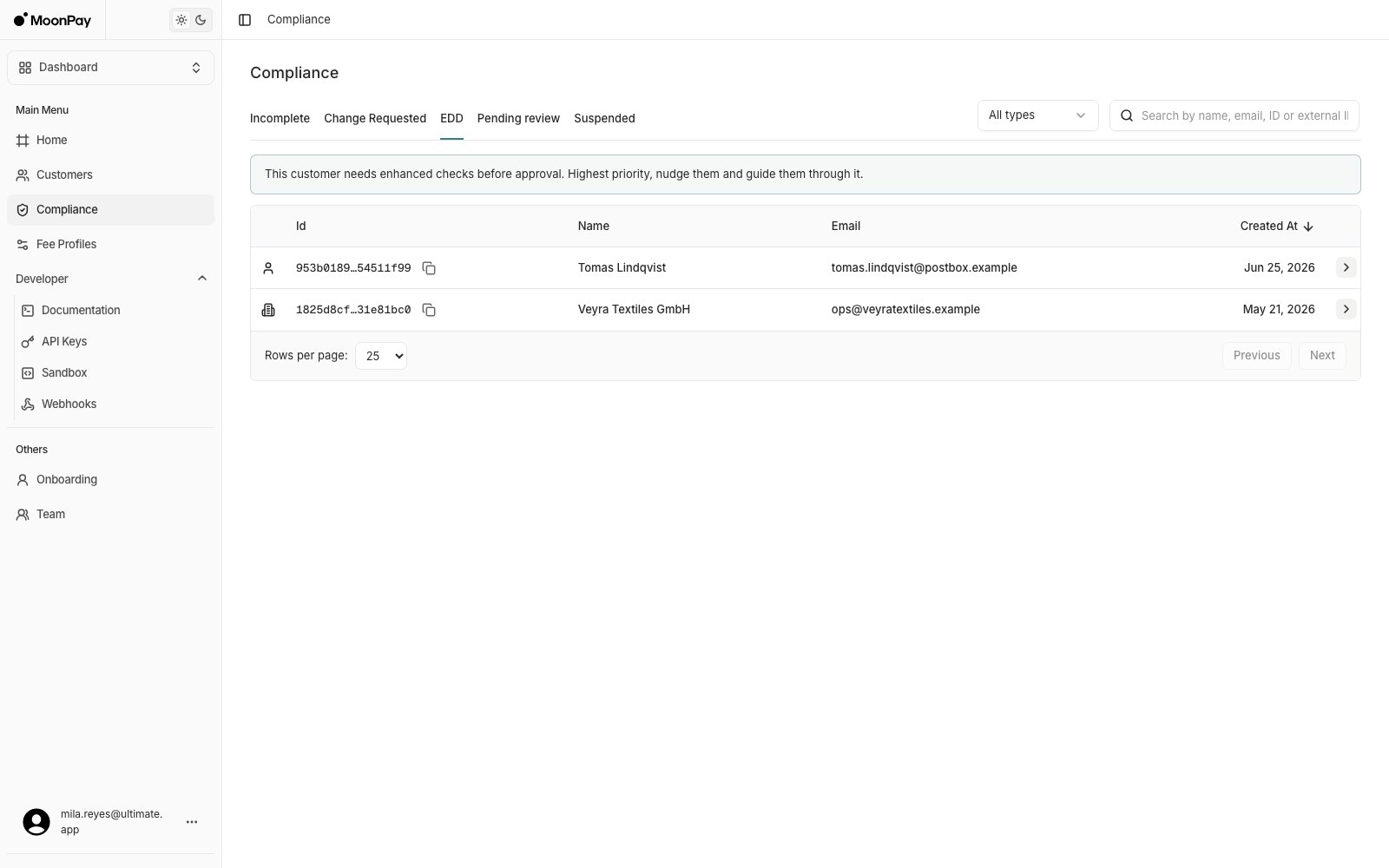
Open **Compliance** > **EDD**: highest priority, these customers can't be approved until the extra checks clear.
 ### 2. Confirm what is being asked
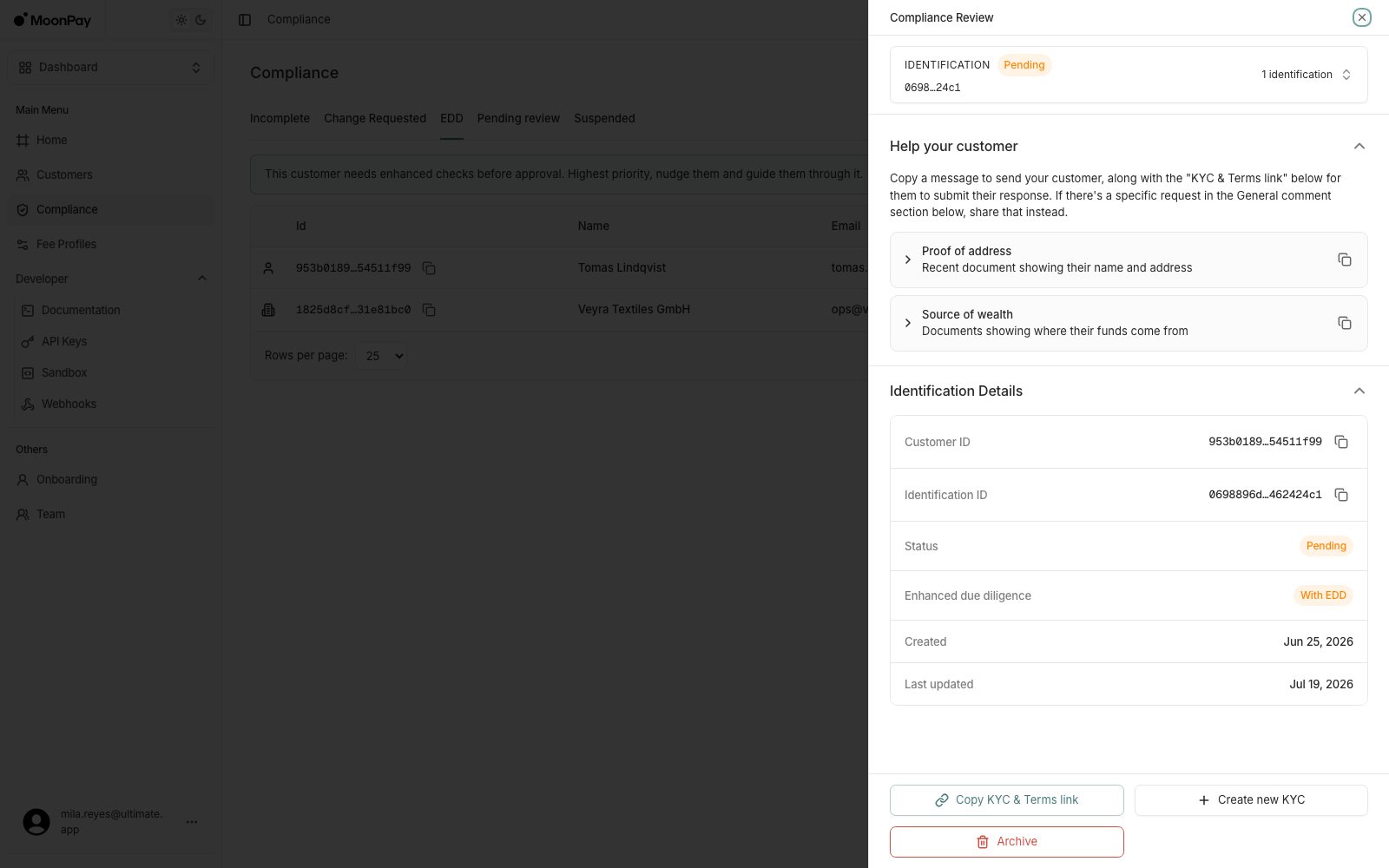
**Compliance** > **EDD** > click the applicable customer > **Help your customer**: check **Requirements** for what is outstanding, for example:
* [**Source of wealth**](/source-of-wealth): documents showing where their funds come from
* [**Proof of address**](/proof-of-address): a recent document showing their name and address
Then copy the applicable message and the **KYC & Terms link**, and send them to the customer.
### 2. Confirm what is being asked
**Compliance** > **EDD** > click the applicable customer > **Help your customer**: check **Requirements** for what is outstanding, for example:
* [**Source of wealth**](/source-of-wealth): documents showing where their funds come from
* [**Proof of address**](/proof-of-address): a recent document showing their name and address
Then copy the applicable message and the **KYC & Terms link**, and send them to the customer.
 ### 3. Guide them through it
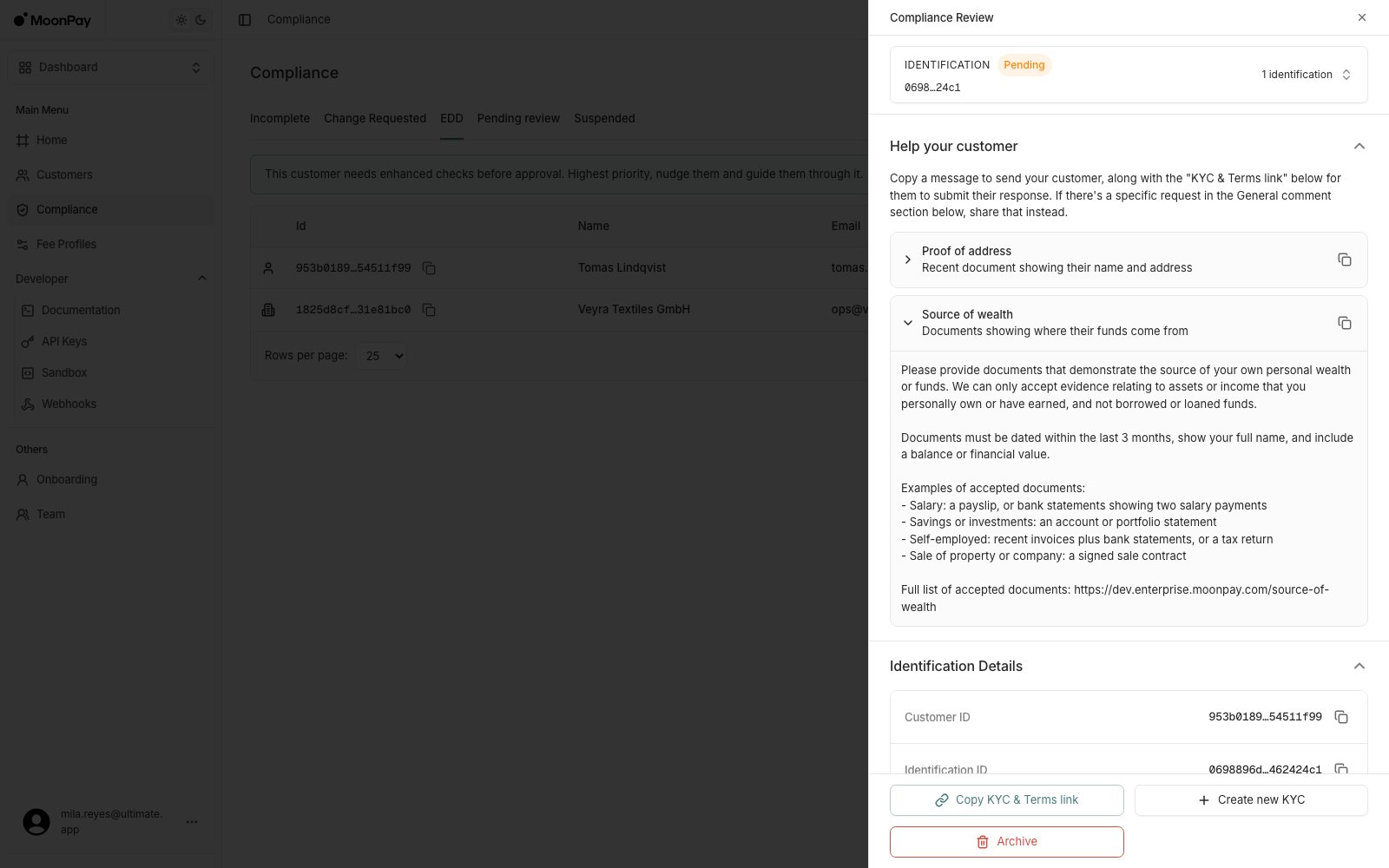
* **Expand** either guidance item for a ready-to-send message listing the accepted documents and rules, with its own copy button. Send it alongside **KYC & Terms link** to take the customer into the EDD flow.
* **Upload documents**: if they've already emailed you the document, submit it for them instead.
### 3. Guide them through it
* **Expand** either guidance item for a ready-to-send message listing the accepted documents and rules, with its own copy button. Send it alongside **KYC & Terms link** to take the customer into the EDD flow.
* **Upload documents**: if they've already emailed you the document, submit it for them instead.
 ### 4. Escalate a standard customer into EDD
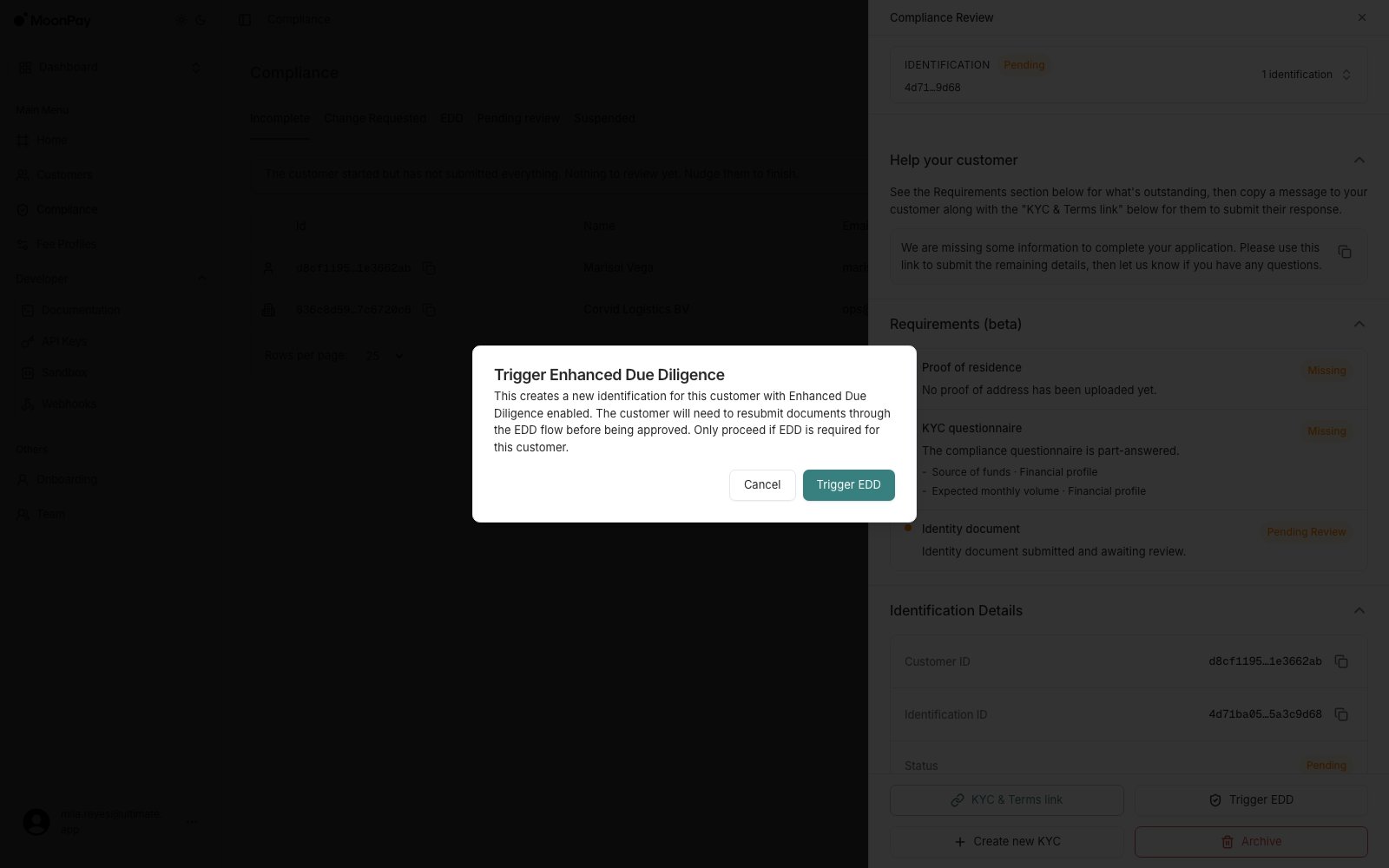
For a customer not yet in EDD, **Trigger EDD** starts the enhanced process. It does not appear for customers already in EDD, because there is nothing to start.
### 4. Escalate a standard customer into EDD
For a customer not yet in EDD, **Trigger EDD** starts the enhanced process. It does not appear for customers already in EDD, because there is nothing to start.
 The field name `source_of_funds` is used both in the questionnaire and in business verification. For an individual customer, though, what's actually being requested is **source of wealth** evidence, not source of funds.